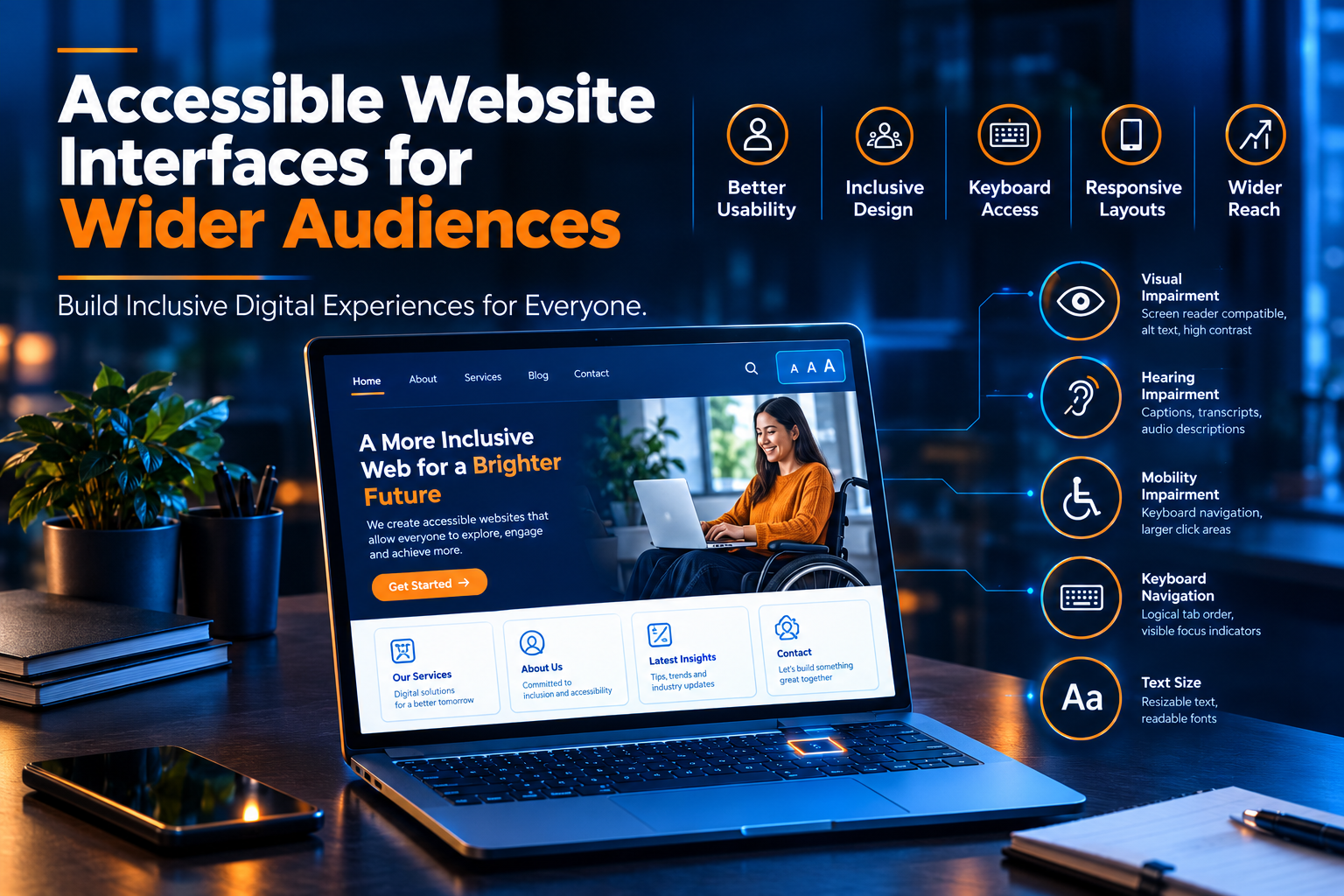
Accessible Website Interfaces for Wider Audiences
Introduction
A website is often the first point of interaction between a business and its potential customers. However, not every visitor interacts with a website in the same way. Some users rely on screen readers, keyboard navigation, captions, or browser magnification, while others may experience difficulties with small text, confusing layouts, or low color contrast.
Accessible website interfaces are designed to reduce these barriers and make digital information available to a wider audience. They allow people with different abilities, devices, and browsing preferences to navigate websites and complete essential tasks more comfortably.
For businesses, accessibility is an important part of creating effective digital experiences. A well-structured, accessible website can improve usability, support customer engagement, and help organizations serve a broader range of users.
Businesses interested in building user-friendly digital platforms can explore web solutions at https://www.riotechsoftwares.com/websolution.php.
What Is Website Accessibility?
Website accessibility refers to designing and developing websites so that people with disabilities can perceive, understand, navigate, and interact with digital content. It also considers different devices, assistive technologies, and user preferences.
The Web Content Accessibility Guidelines (WCAG) provide internationally recognized recommendations for making web content more accessible. These guidelines organize accessibility around four key principles:
- Perceivable: Information must be presented in ways users can perceive.
- Operable: Navigation and interactive elements must be usable.
- Understandable: Content and website functionality should be clear and predictable.
- Robust: Websites should work reliably with different browsers and assistive technologies.
Following these principles helps developers identify barriers and create more inclusive website interfaces.
Why Accessible Website Interfaces Matter
1. Reaching a Wider Audience
An inaccessible website can prevent potential customers from finding information, exploring services, or completing purchases. Accessibility improvements help reduce these barriers and make online experiences more welcoming to people with different abilities.
For businesses, a more accessible interface can support a wider audience without compromising the needs of existing visitors.
2. Improving User Experience
Accessibility and usability often complement each other. Clear navigation, readable text, consistent layouts, and descriptive buttons help visitors understand how a website works.
These improvements can benefit users with disabilities as well as people browsing on small screens, using slow connections, or accessing websites in unfamiliar environments.
3. Supporting Mobile Usability
Mobile visitors need interfaces that adapt to different screen sizes without hiding essential information or making controls difficult to operate.
Responsive layouts, appropriately sized buttons, readable text, and well-organized content can improve the experience across smartphones, tablets, and desktop computers.
4. Strengthening Brand Trust
Businesses demonstrate consideration for their audiences when they make digital information easier to access. Clear instructions, accessible forms, and predictable navigation help visitors interact with greater confidence.
Companies developing or upgrading their websites can review https://www.riotechsoftwares.com/websolution.php to explore web solutions that support modern digital experiences.
Essential Features of an Accessible Website Interface
1. Clear and Consistent Navigation
Website navigation should help users understand where they are and how to reach important information.
Use descriptive menu labels, logical page structures, clear headings, and consistent navigation elements. Visitors should not need to guess where a particular service, contact form, or important resource is located.
For keyboard users, the navigation order should follow a meaningful sequence, and the keyboard focus indicator should remain visible.
2. Readable Text and Appropriate Color Contrast
Text should be easy to read against its background. Small fonts, crowded paragraphs, and low-contrast color combinations can make content difficult to understand.
Developers should select readable font sizes, maintain appropriate spacing, and provide sufficient contrast between text and backgrounds. Color should not be the only way to communicate important information, such as errors or required form fields.
For WCAG 2.2 Level AA, the general minimum contrast ratio is 4.5:1 for normal text and 3:1 for large text, subject to the guidelines' exceptions.
3. Keyboard-Friendly Functionality
Not every visitor uses a mouse or touchscreen. Some people navigate entirely through a keyboard or alternative input device.
Ensure that menus, links, buttons, forms, and interactive components can be accessed and operated using a keyboard. Users should be able to move through interactive elements in a logical order without becoming trapped in a component.
Visible focus indicators help users identify which element is currently selected.
4. Meaningful Alternative Text for Images
Images often communicate information that is important to understanding a website. People using screen readers may need text alternatives to understand the purpose of meaningful images.
Add descriptive alternative text to informative images, diagrams, and graphics. Decorative images should generally be hidden from assistive technologies when appropriate.
Alternative text should communicate the image's purpose rather than simply list visual details. Functional images, such as linked icons, should describe their action or destination.
5. Accessible Forms and Input Fields
Forms are essential for inquiries, registrations, purchases, and customer support. However, poorly designed forms can prevent users from completing important tasks.
Use clearly associated labels, helpful instructions, appropriate input types, and understandable error messages. Do not rely only on color to identify incorrect fields.
When an error occurs, explain what went wrong and how the user can correct it. Where appropriate, preserve previously entered information so visitors do not have to start again.
6. Responsive and Flexible Layouts
An accessible interface should accommodate different screen sizes and user preferences. Website content should remain usable when users zoom in, increase text size, or view pages in narrow windows.
Avoid layouts that require unnecessary horizontal scrolling for ordinary text content. Ensure that menus, forms, images, and interactive components adapt to smaller screens without losing essential functionality.
7. Captions and Accessible Multimedia
Videos and audio content can create barriers for people who are deaf, hard of hearing, or unable to access sound.
Provide accurate captions for prerecorded videos with meaningful speech and sounds. Transcripts can offer an additional way to access audio information, while audio descriptions may be needed to communicate important visual details.
Avoid playing audio automatically without appropriate user control.
How Accessibility Improves Business Websites
Accessibility should be considered throughout the website development process rather than added as a final adjustment.
Better Customer Interaction
When visitors can navigate pages, understand service information, and complete forms without unnecessary obstacles, they have a better opportunity to interact with the business.
Accessible interfaces can make important actions, such as contacting a team or requesting a quotation, easier to complete.
More Effective Content Presentation
Semantic headings, descriptive links, readable paragraphs, and well-organized sections make content easier to scan and understand.
These practices can help visitors find relevant information more quickly while improving the compatibility of content with assistive technologies.
Stronger Website Quality
Accessibility reviews can reveal issues that also affect general website quality, including unclear form labels, confusing navigation, inconsistent components, and poorly structured content.
Addressing these problems helps businesses develop more reliable and maintainable digital platforms.
A More Inclusive Digital Presence
An inclusive website considers different ways people access information and interact with technology. It helps businesses avoid excluding potential users because of preventable design barriers.
Organizations planning new websites or improvements to existing platforms can explore https://www.riotechsoftwares.com/websolution.php for relevant web development solutions.
Steps to Make a Website More Accessible
Step 1: Review the Existing Website
Evaluate important pages, including the homepage, service pages, contact forms, navigation menus, and other interactive components. Identify barriers that could prevent users from accessing information or completing tasks.
Step 2: Prioritize Important Accessibility Issues
Start with barriers that affect essential tasks, such as inaccessible navigation, missing form labels, unreadable text, and keyboard traps.
A prioritized improvement plan makes it easier to address high-impact problems systematically.
Step 3: Apply Accessibility-Focused Design
Use clear typography, sufficient contrast, consistent layouts, descriptive headings, and recognizable interactive controls. Consider accessibility during wireframing and interface design, not only during coding.
Step 4: Develop With Semantic HTML
Use appropriate HTML elements for headings, lists, buttons, links, and forms. Semantic markup helps browsers and assistive technologies interpret the structure and purpose of content.
Use ARIA attributes when necessary to communicate information that native HTML cannot adequately express, rather than as a substitute for correct semantic markup.
Step 5: Test With Different Methods
Combine automated accessibility checkers with keyboard testing, screen reader testing, zoom and reflow checks, and manual review.
Testing should cover the website's important user journeys, including form submission, navigation, account access, and purchasing where relevant.
Step 6: Maintain Accessibility Over Time
Websites change as new pages, features, plugins, and content are introduced. Review accessibility regularly and include it in ongoing development and quality assurance processes.
For professional assistance with website planning and development, visit https://www.riotechsoftwares.com/websolution.php.
The Role of Web Development in Accessibility
Accessible interfaces depend on collaboration between designers, developers, content creators, and quality assurance teams.
Designers should consider readability, contrast, navigation, and interaction patterns. Developers should implement semantic markup, keyboard support, and accessible component behavior. Content creators should use clear language, meaningful headings, descriptive links, and suitable alternative text.
Quality assurance teams should test how these elements work together across browsers, devices, and assistive technologies.
When accessibility is included throughout the development lifecycle, businesses can identify issues earlier and reduce the need for expensive redesigns later.
Riotech Softwares provides a starting point for exploring website development options at https://www.riotechsoftwares.com/websolution.php.
Conclusion
Accessible website interfaces help businesses create digital experiences that serve a wider range of users. By improving navigation, text readability, color contrast, keyboard access, forms, and responsive layouts, organizations can reduce unnecessary barriers and make essential information easier to use.
Accessibility is an ongoing process that requires thoughtful design, appropriate development practices, and regular testing. Businesses should review their existing websites, prioritize important issues, and maintain accessibility as their digital platforms evolve.
A more inclusive website can support better user experiences while strengthening the quality and reliability of a business's online presence.
Explore https://www.riotechsoftwares.com/websolution.php to learn more about web solutions for building and improving business websites.
Visit Riotech Softwares
Looking to develop a website that is easier to navigate, understand, and use? Explore web solutions and website development services at: