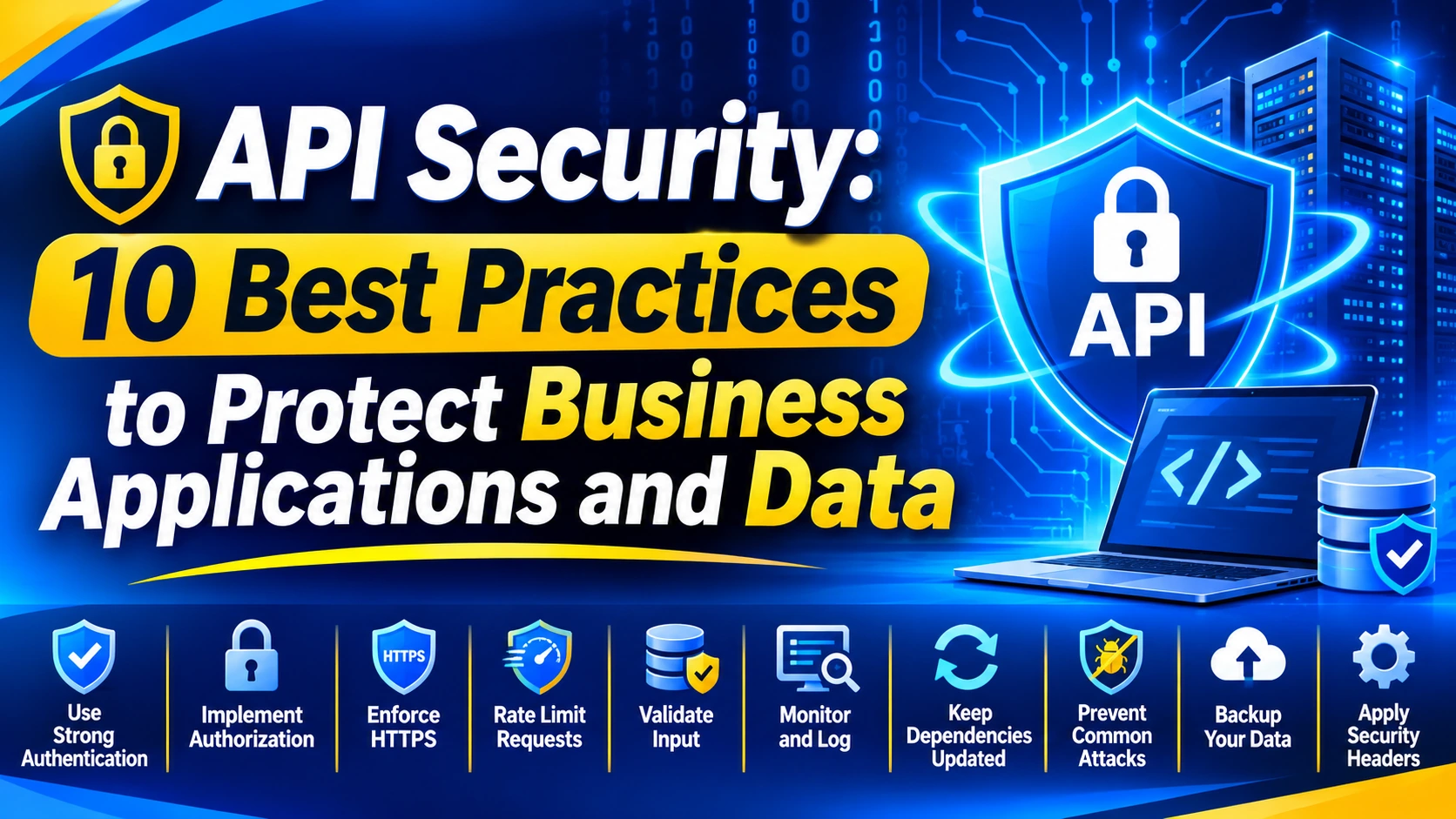
API Security: 10 Best Practices to Protect Business Applications and Data
Introduction
Businesses use APIs to connect websites, mobile apps, databases, and online services. These connections help different systems share data and work together.
But these connections also create security risks. Hackers may target weak APIs to steal information, access private accounts, or misuse business services.
API security helps prevent these attacks. It protects applications from unwanted access and keeps business data safe.
Businesses can improve API security with simple steps. These include strong login checks, data encryption, access controls, and regular security testing.
This guide covers 10 important API security practices. It also explains common threats, business uses, and ways to build safer applications.
What Is API Security?
API security means protecting the way software applications share data.
API stands for Application Programming Interface. It allows two or more applications to communicate and exchange information.
For example, an online store may use an API to connect with a payment service. When a customer places an order, the API sends the payment request to the payment provider. The provider then sends the payment result back to the store.
API security keeps this process safe. It makes sure that only approved users and applications can access the right information.
It helps businesses:
- Block unwanted access.
- Protect customer information.
- Keep payment details safe.
- Control user permissions.
- Find suspicious activity.
- Protect connected applications.
In simple words, API security protects the data that moves between software systems.
Why Do Businesses Need API Security?
Many businesses use APIs to manage daily work. These APIs may handle customer details, payments, orders, and company records.
A weak API can expose this information. It can also affect business services.
Here are five key benefits of API security.
1. Protect Customer Data
APIs often handle personal details such as names, phone numbers, email addresses, and payment information.
Weak security can expose this data to hackers.
Encryption and access controls help keep customer information private.
2. Prevent Unwanted Access
Every user should only see the information they are allowed to access.
For example, a customer should only view their own orders. They should not be able to see another customer's order details.
API access controls help prevent this problem.
3. Keep Applications Available
Attackers may send too many requests to an API. This can slow down a website or stop an application from working.
Rate limits help control the number of requests. They also reduce unnecessary server traffic.
4. Build Customer Trust
Customers expect businesses to protect their information.
A data breach can damage a company's reputation. It may also cause customers to lose trust.
Secure APIs help businesses offer safer online services.
5. Protect Connected Systems
Businesses often connect APIs with payment gateways, CRM tools, cloud platforms, and mobile apps.
A weak connection can create risks for other systems.
Proper API protection helps reduce these risks.
10 API Security Best Practices for Businesses
Businesses should use several security measures to protect their APIs. No single method can stop every attack.
Here are 10 practical ways to improve API security.
1. Use Strong Authentication
Authentication checks who is trying to access an API.
For example, a login system checks a user's details before opening an account.
Weak login checks can make it easier for hackers to enter protected systems.
Businesses should:
- Use trusted login methods.
- Choose OAuth 2.0 or OpenID Connect where suitable.
- Add multi-factor authentication to important accounts.
- Use short-lived access tokens where possible.
- Store login details safely.
- Block stolen or expired credentials.
These steps make unwanted access more difficult.
2. Give Users the Right Access
Authentication checks a user's identity. Authorization checks what that user can do.
For example, an administrator may manage all customer records. A normal employee may only view selected records.
Businesses should:
- Give users only the access they need.
- Limit access to sensitive features.
- Check permissions for every important request.
- Stop users from viewing other people's records.
- Review user permissions regularly.
These steps help keep private business data safe.
3. Protect Data with HTTPS
APIs send information between websites, apps, and servers. This information may include passwords, account details, and customer records.
HTTPS uses TLS encryption to protect data while it moves across a network.
Businesses should:
- Use HTTPS for all API connections.
- Keep security certificates valid.
- Never place secret API keys in website URLs.
- Avoid sharing sensitive data in API responses.
- Store private information safely.
- HTTPS makes it harder for attackers to read data during transfer.
However, HTTPS alone cannot protect an API from every attack. Businesses also need proper access controls and other security checks.
4. Limit the Number of API Requests
Rate limiting controls how many requests an API can receive within a set time.
Without limits, attackers may send thousands of requests to a server. This can slow down applications and increase hosting costs.
For example, a hacker may send repeated login requests to guess a user's password.
Businesses should:
- Set request limits for each API.
- Use stricter limits for sensitive features.
- Track repeated failed requests.
- Return an HTTP 429 response when a limit is reached.
- Restrict suspicious traffic when needed.
- Rate limiting helps protect applications from excessive traffic.
5. Check All Incoming Data
APIs receive data from websites, mobile apps, and other services. The application should check this data before using it.
Invalid or harmful data can cause security problems.
Businesses should:
- Check the format of incoming data.
- Set limits on input length.
- Reject incorrect values.
- Check uploaded files.
- Use safe data-processing methods.
- Never trust data without checking it.
For example, a form that asks for a phone number should reject an invalid number.
These checks help reduce the risk of harmful code and data attacks.
6. Keep API Keys and Tokens Private
API keys and access tokens help applications connect with other services.
If hackers steal these details, they may misuse the connected services.
Businesses should:
- Never publish secret keys online.
- Store keys in secure environment variables.
- Use tools that protect private credentials.
- Give each key only the access it needs.
- Replace exposed keys quickly.
- Review and update credentials regularly.
- API keys should always remain private.
7. Protect API Endpoints
An API endpoint is an address used to access a specific API feature.
For example, an online store may use different endpoints for customer accounts, products, and orders.
Unused or poorly protected endpoints can create security gaps.
Businesses should:
- Keep a list of active endpoints.
- Remove APIs that are no longer needed.
- Restrict access to admin endpoints.
- Disable unused request methods.
- Set correct CORS rules.
- Hide internal system details from error messages.
- Regular checks help reduce unwanted access points.
8. Monitor API Activity
API monitoring helps businesses understand how people and applications use their APIs.
It can also help teams find unusual activity.
Businesses should monitor:
- Failed login attempts.
- Sudden increases in requests.
- Repeated access-denied messages.
- Unusual traffic patterns.
- Requests to sensitive endpoints.
- Security alerts help teams investigate problems early.
Businesses should also protect their logs. Passwords and secret access tokens should never appear in them.
9. Test APIs Regularly
Security testing helps find weak points before hackers can use them.
Businesses should test APIs during development and after major updates.
Important tests include:
- Vulnerability scans.
- API penetration testing.
- Login and authentication checks.
- User permission checks.
- Input validation tests.
- Security setting reviews.
- Third-party API checks.
- Testing helps developers find and fix problems early.
10. Follow Secure Development Practices
API security should start when developers plan an application. It should continue until the application is released and maintained.
Development teams should:
- Follow secure coding rules.
- Use trusted development tools.
- Review code before release.
- Update old software libraries.
- Keep testing and live systems separate.
- Add security checks to CI/CD pipelines.
- Write clear API security rules.
These steps help teams build safer applications from the start.
Common API Security Threats
Businesses should understand the threats that can affect their APIs. This helps developers find weak points and improve protection.
The OWASP API Security Top 10 (2023) lists major API security risks.
Here are some important examples.
1. Broken Object Level Authorization (BOLA)
BOLA happens when an API fails to check whether a user can access a specific record.
For example, a customer may change an order number in a request and view another customer's order.
2. Broken Authentication
This happens when an API does not check a user's identity properly.
Hackers may use stolen tokens or weak login systems to enter protected accounts.
3. Broken Object Property Level Authorization
This problem occurs when users can view or change data they should not access.
For example, a normal user may try to change an account status through an API request.
4. Unrestricted Resource Consumption
An API may slow down or stop working when it receives too many requests.
Request limits help reduce this risk.
5. Broken Function Level Authorization
This happens when users can access features meant for other roles.
For example, a regular employee may gain access to an administrator feature.
6. Unrestricted Access to Sensitive Business Flows
Hackers may misuse normal business features through automated requests.
For example, they may create fake accounts or place repeated orders.
7. Server-Side Request Forgery (SSRF)
SSRF happens when an attacker tricks a server into sending requests to unwanted locations.
This may expose private systems that should not be available to the public.
8. Security Misconfiguration
Incorrect settings and unnecessary permissions can make APIs easier to attack.
Regular security checks help find and fix these issues.
API Security Checklist for Businesses
Use this checklist to review your current API security.
- Use strong authentication.
- Check user permissions.
- Enable HTTPS.
- Keep API keys private.
- Set API request limits.
- Check incoming data.
- Remove unused endpoints.
- Restrict admin access.
- Monitor API traffic.
- Protect security logs.
- Test APIs regularly.
- Review third-party connections.
- Update software dependencies.
This checklist is a useful starting point. A professional security review may be needed to find deeper problems.
How Different Industries Use API Security
APIs support businesses in many industries. Each industry uses them to manage different services and information.
E-Commerce
Online stores use APIs for payments, products, customer accounts, and order tracking.
API security helps protect customer details and online transactions.
Banking and Finance
Banks use APIs to connect payment systems, customer accounts, and financial services.
Strong login checks and encryption help protect financial information.
Healthcare
Healthcare applications use APIs to share patient records and appointment details.
Access controls help keep private medical information safe.
SaaS and Enterprise Software
Business software uses APIs to connect employees, customers, and third-party tools.
API security helps control access and protect shared business information.
How to Build an API Security Strategy
Businesses need a clear plan to manage API risks. These five steps provide a simple starting point.
Step 1: Find All Your APIs
Make a list of public, private, and internal APIs.
Check what data each API handles and which systems it connects.
Step 2: Find Security Weaknesses
Review login systems, user permissions, settings, and data protection.
Give priority to APIs that handle sensitive information.
Step 3: Add Security Controls
Use authentication, access controls, encryption, and request limits.
Apply these rules to all important API endpoints.
Step 4: Test Before Launch
Test APIs for security problems before releasing them.
Fix serious issues before moving the application to a live environment.
Step 5: Monitor and Update
Watch API traffic and review security logs.
Update software and test important changes regularly.
This process helps businesses manage API security as their applications grow.
How Riotech Supports Business Cybersecurity
Secure applications help businesses protect data and provide reliable digital services.
Riotech offers technology services for businesses with different digital and cybersecurity needs.
Companies planning to build applications, connect external services, or improve existing systems should include security at every stage.
Explore Riotech Cyber Security Services to learn more about its cybersecurity solutions.
You can also contact the Riotech team to discuss your application security needs.
Frequently Asked Questions (FAQs)
1. What is API security?
API security protects the connection between software applications. It helps stop unwanted access, data theft, and harmful requests.
2. Why is API security important?
It helps protect customer data, business records, and connected applications. It also reduces the risk of cyberattacks.
3. What are common API security risks?
Common risks include weak login checks, poor access controls, stolen API keys, excessive requests, and incorrect settings.
4. How can I protect my business API?
Use strong authentication, HTTPS, access controls, request limits, and regular security testing. Also, monitor API activity.
5. What is the difference between authentication and authorization?
Authentication checks who is making a request. Authorization checks what that user can access or change.
6. Does HTTPS make an API fully secure?
No. HTTPS protects data while it moves between systems. It does not stop every API attack. Businesses also need access controls and regular testing.
7. How often should APIs be tested?
Test APIs during development, before major releases, and after important changes. Regular testing helps find new security problems.
8. What is the OWASP API Security Top 10?
It is a security guide that lists major API risks. Developers use it to understand common problems and improve API protection.
Conclusion
APIs help businesses connect applications and share information. But weak security can put customer and business data at risk.
The solution starts with basic security steps. Use strong login checks, control user access, protect data, and limit API requests.
Businesses should also test their APIs and watch for unusual activity. Regular updates help reduce security risks.
A secure API helps businesses build safer applications and provide more reliable digital services.
Want to protect your business applications?
Explore Riotech Cyber Security Services and connect with the team to discuss your cybersecurity needs.
References
- OWASP - API Security Top 10
- OWASP - REST Security Cheat Sheet
- OWASP - API Security Project