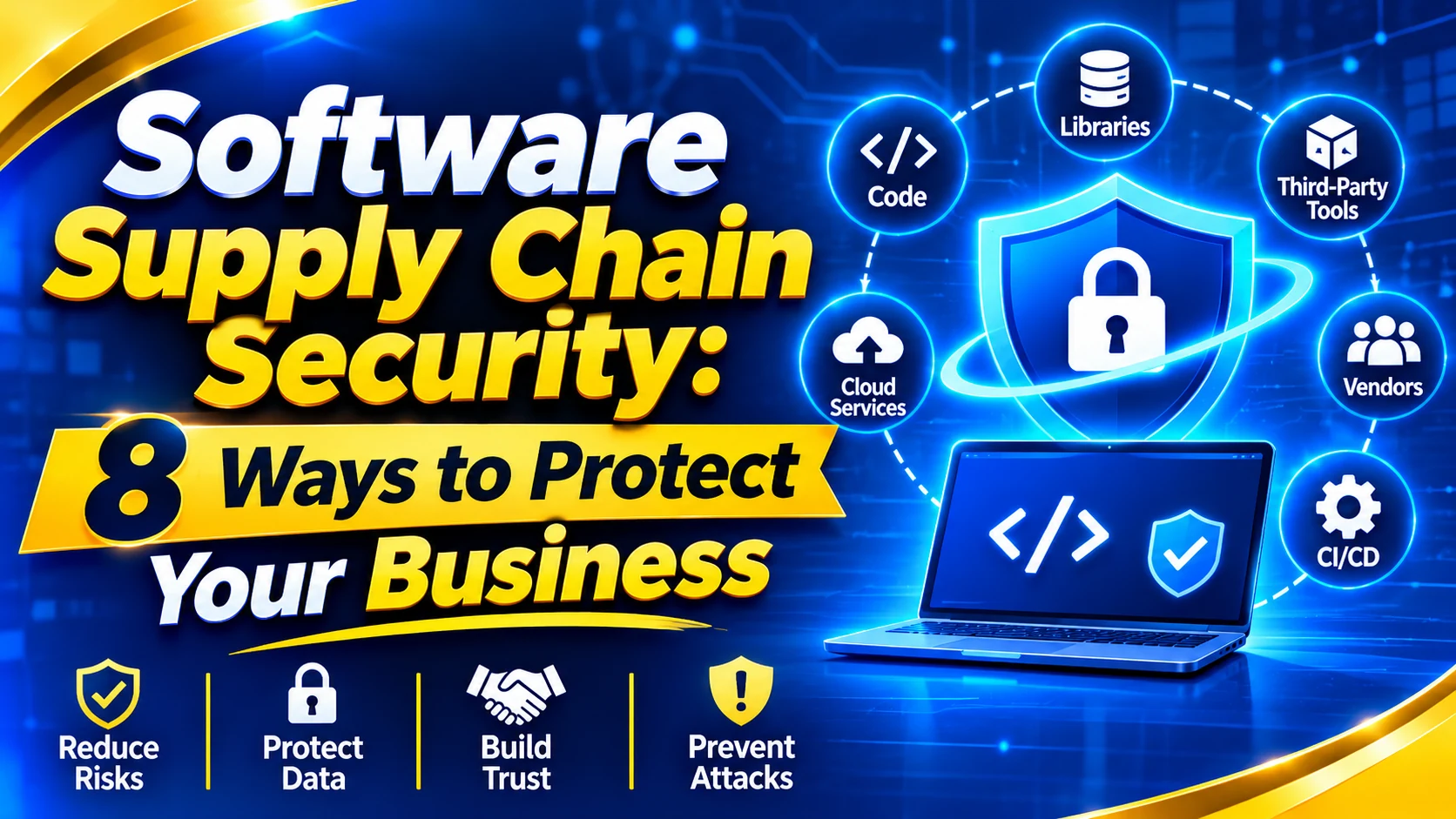
Software Supply Chain Security: 8 Ways to Protect Your Business
Introduction
Businesses use software every day. They use websites, mobile apps, cloud services, and business tools.
But most software is not built from scratch. Developers use external code, open-source libraries, and third-party services. These parts help them build products faster. They can also create security risks.
For example, an old software library may contain a security flaw. If a business uses that library, its application may also become vulnerable.
This is where software supply chain security becomes important.
It helps protect the software, tools, code, and services used to build and deliver an application. It also helps businesses find risks before attackers can use them.
In this guide, you will learn eight ways to protect your software supply chain, reduce security risks, and build safer applications.
What Is Software Supply Chain Security?
Software supply chain security means protecting every part of the software development process. This includes the code, tools, libraries, suppliers, and systems used to create and deliver software.
A software supply chain includes:
- Source code: The instructions developers write to build software.
- Open-source libraries: Ready-made code that developers can use.
- Third-party tools: Software provided by other companies.
- Cloud services: Online systems used to store data or run applications.
- Software vendors: Companies that provide software and technical services.
- Build and release systems: Tools that test and deliver software updates.
Simple example: An online store may use an external payment tool and an open-source library. If either one has a security problem, the store may also face a risk.
That is why businesses must check every important part of their software, not just the final product.
Why Does Software Supply Chain Security Matter?
Software supply chain security helps protect business data, applications, and development systems.
Here are four key benefits:
- Protects data: Helps reduce the risk of customer and business data being exposed.
- Reduces software risks: Helps find weak or unsafe components before release.
- Prevents disruption: Helps reduce problems caused by compromised software.
- Builds trust: Shows customers that the business takes software security seriously.
A small weakness in one component can affect a much larger system. Finding it early can help prevent bigger problems.
8 Ways to Improve Software Supply Chain Security
1. Keep a Record of Every Software Component
The first step is to know what your software contains.
Make a list of all libraries, tools, packages, and external services used in your applications. Record their names, versions, and sources.
A useful tool for this is a Software Bill of Materials (SBOM).
An SBOM is a structured list of the components used in a software product. Think of it as an ingredient list for software.
It helps businesses:
- See which components an application uses.
- Find outdated software.
- Identify components affected by new security problems.
- Track changes to software over time.
What to do: Create an SBOM for important applications. Update it whenever you add, remove, or change a component.
Remember: An SBOM helps you find risks. It does not fix them automatically.
2. Check Third-Party and Open-Source Software
Third-party software can save time. But an unsafe component can put your application at risk.
Before using a library or package, check where it comes from. Also check whether its developers still maintain it.
Follow these steps:
Download software from trusted sources.
- Check when it was last updated.
- Look for known security problems.
- Avoid packages with no clear source.
- Remove components you no longer need.
- Update old or unsafe versions.
Example: Your website uses an old library with a known security flaw. Updating it to a safe version can help reduce the risk.
Do not assume that free or popular software is always safe.
3. Protect Source Code and Developer Accounts
Source code is the foundation of an application. If an attacker changes it, the final software may become unsafe.
Businesses should control who can view or change their code.
Follow these steps:
- Use strong passwords.
- Turn on multi-factor authentication (MFA).
- Give access only to approved team members.
- Review user permissions regularly.
- Keep passwords and API keys out of public code.
- Check important code changes before approval.
Why does this matter? If an attacker steals a developer account, they may gain access to source code or development tools. Strong account protection makes this harder.
4. Secure Your CI/CD Pipeline
A CI/CD pipeline is a system that helps developers build, test, and release software.
CI means Continuous Integration. CD means Continuous Delivery or Continuous Deployment.
These tools make software updates faster. But if attackers access the pipeline, they may change code or add harmful files before release.
To protect it:
- Limit access to build and release tools.
- Store passwords and API keys securely.
- Check code during the build process.
- Scan software packages for known risks.
- Review changes to pipeline settings.
- Approve important releases.
Key point: Security checks should happen during development, not only after software is complete.
5. Verify Software Before Installing It
Fake or changed software can contain harmful code. Businesses should check software before installing it.
Use these basic checks:
- Download software from official websites.
- Use trusted package repositories.
- Check digital signatures when available.
- Verify file hashes when provided.
- Test important updates before wider use.
- Avoid unknown installers.
A digital signature helps confirm who signed a software package. A file hash helps check whether the file has changed.
These checks can help identify software that may have been changed without permission.
6. Review Your Software Vendors
Many businesses depend on outside companies for software, hosting, and technical support.
If a supplier has weak security, its customers may also face risks.
Before working with a vendor, ask:
- How do you protect customer data?
- How do you find and fix security problems?
- Who can access our systems?
- How do you report a security incident?
- How often do you update your software?
Also review vendor security from time to time. Do not depend on a single check at the start of a contract.
7. Use Automated Security Testing
Manual checks are useful, but they can miss some problems. Automated tools can scan software and alert teams to possible risks.
Different tools check different areas.
| Tool | What it checks |
| Dependency scanner | Finds known risks in software libraries |
| Code scanner | Checks source code for security problems |
| Secret scanner | Finds exposed passwords and API keys |
| Vulnerability scanner | Checks systems for known weaknesses |
| Container scanner | Checks software packages inside containers |
To get better results:
- Scan code during development.
- Check software libraries before release.
- Review security alerts.
- Fix serious problems first.
- Test again after major updates.
Automated tools help find problems faster. However, a security expert should review important alerts and decide how to fix them.
8. Monitor Software and Prepare for Attacks
Software security does not end after release. New security problems can appear at any time.
Businesses should monitor their systems and prepare for incidents.
Follow these steps:
- Watch important applications and systems.
- Check new security alerts.
- Install important updates.
- Keep secure backups.
- Decide who will handle security incidents.
- Test your recovery plan.
An incident response plan explains what a business should do when a security problem occurs.
It helps teams act quickly, reduce damage, and restore services.
Common Software Supply Chain Risks
The following table shows common risks and ways to reduce them.
| Risk | Possible result | How to reduce it |
| Outdated libraries | Attackers may use known flaws | Update and scan dependencies |
| Malicious software packages | Harmful code may enter an application | Use trusted sources |
| Stolen developer accounts | Attackers may change source code | Use MFA and access controls |
| Exposed passwords or API keys | Attackers may access business systems | Use secret scanning |
| Unsafe build systems | Harmful code may enter a release | Protect CI/CD tools |
| Weak vendor security | Supplier problems may affect your business | Review vendors regularly |
The right security steps depend on the software and the level of risk. Start with the applications and suppliers that are most important to your business.
How to Create a Software Supply Chain Security Plan
Businesses can start with five simple steps.
Step 1: List your software.
Record the applications, libraries, tools, and services your business uses.
Step 2: Find weak points.
Check for old software, unsafe packages, weak passwords, and poor vendor security.
Step 3: Set clear rules.
Decide who can approve software, access source code, and release updates.
Step 4: Run regular security checks.
Use code reviews, software scans, and dependency checks.
Step 5: Review and improve.
Check security alerts, fix problems, and update your rules as your software changes.
Start with your most important applications. Then expand the plan to cover other systems.
How Can Riotech Help with Cybersecurity?
Businesses need to protect more than software code. They must also protect their networks, data, and digital systems.
Riotech offers cybersecurity services in areas such as:
- Network protection: Helps protect business networks.
- Data security: Helps safeguard important information.
- Threat monitoring: Helps identify suspicious activity.
- Firewall management: Helps control network traffic.
If your business wants to strengthen its security, explore Riotech Cyber Security Services.
A security review can help your business understand its risks and plan the right improvements.
Frequently Asked Questions
1. What is software supply chain security?
Software supply chain security protects the code, tools, libraries, suppliers, and systems used to build and deliver software. It helps prevent unsafe components and unauthorized changes.
2. What are the biggest software supply chain risks?
Common risks include outdated libraries, harmful software packages, stolen developer accounts, exposed passwords, unsafe build systems, and weak vendor security.
3. What is an SBOM in software security?
An SBOM is a structured list of software components. It helps businesses see which libraries and packages an application uses and find components affected by known security problems.
4. How can businesses protect open-source software?
Businesses should use trusted sources, check software updates, scan for known risks, remove unused packages, and replace outdated components.
5. Why is CI/CD security important?
CI/CD tools build, test, and release software. Protecting these tools helps prevent unauthorized code changes and unsafe software releases.
6. How often should software dependencies be checked?
Businesses should check dependencies regularly and whenever new security problems are reported. Automated scans can help identify affected components sooner.
7. Can an SBOM prevent cyberattacks?
No. An SBOM does not block attacks by itself. It helps teams understand which software components they use. Businesses must also scan, update, and protect those components.
8. Who is responsible for software supply chain security?
Developers, security teams, IT managers, business leaders, and software suppliers all have a role. Each group should protect the systems and processes it manages.
Conclusion
Software supply chain security helps protect every part of software development. This includes code, libraries, tools, vendors, and release systems.
Businesses can reduce risk by tracking software components, checking suppliers, protecting developer accounts, testing code, and monitoring applications.
Start by checking what your software uses. Find the weak points and fix the most serious problems first.
The main lesson is simple: protect every part of your software supply chain, not just the final application.
Strengthen Your Software Security with Riotech
Is your business protected against software supply chain threats?
Don't let outdated libraries, vulnerable software, or third-party security risks put your business at risk. Take proactive steps to secure your applications, protect sensitive data, and strengthen your digital infrastructure.
Riotech can help your business build a stronger cybersecurity strategy with the right security solutions.
Ready to improve your business security?
Explore Riotech Cyber Security Services or contact our team today to discuss your cybersecurity requirements and find the right protection for your business.