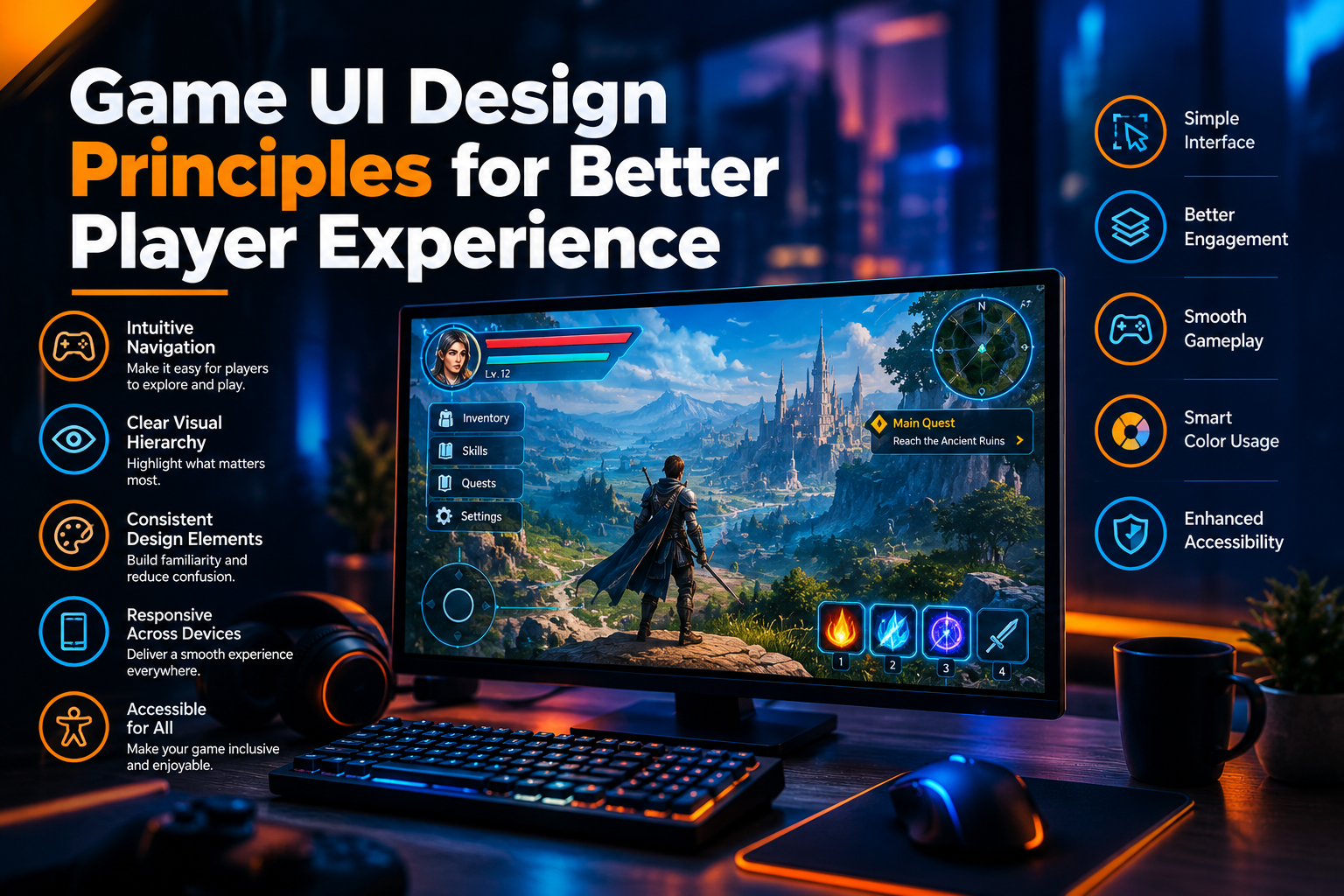
Game UI Design Principles for Better Player Experience
Introduction
A successful game is not defined by graphics and gameplay alone. The user interface (UI) also plays an important role in helping players understand game mechanics, navigate menus, track progress, and interact with different features. Effective game UI design principles create a smooth, engaging, and enjoyable player experience.
Whether developers are creating mobile games, PC games, console games, or browser-based games, a well-designed interface makes gameplay easier to understand and more enjoyable. By combining usability, visual consistency, accessibility, and responsive interactions, developers can create gaming experiences that keep players engaged.
Businesses planning interactive gaming solutions can explore professional game development services to build games with intuitive interfaces and engaging gameplay.
https://www.riotechsoftwares.com/gamedevelopment.php
What Is Game UI Design?
Game UI design refers to the visual and interactive elements through which players communicate with a game. These elements include menus, buttons, health bars, inventory screens, maps, icons, progress indicators, and heads-up displays (HUDs).
A well-designed interface presents important information clearly without distracting players from gameplay. It helps players understand their objectives, access essential features, and make decisions quickly.
Game UI design works closely with user experience (UX) design to ensure that every interaction feels intuitive and consistent.
Why Is Game UI Design Important?
1. Improves Player Engagement
A clear and attractive interface encourages players to explore game features and continue playing. Intuitive menus, visible progress indicators, and meaningful feedback help create a more engaging experience.
2. Makes Gameplay Easier to Understand
Players should be able to identify controls, objectives, health status, and available resources without unnecessary confusion. Effective UI design reduces the learning curve, especially for beginners.
3. Supports Faster Decision-Making
In action, racing, and strategy games, players often need to make decisions within seconds. Clearly displayed information helps them react quickly and focus on gameplay.
4. Creates a Consistent Visual Experience
Consistent colors, typography, icons, and button styles make the interface easier to learn. A unified visual language also strengthens the game's identity.
5. Increases Player Satisfaction
When navigation is simple and interactions respond as expected, players can concentrate on enjoying the game rather than struggling with its controls.
Essential Game UI Design Principles
1. Keep the Interface Simple
Simplicity is one of the most important principles of effective game interface design. Too many buttons, notifications, indicators, and visual elements can overwhelm players.
Developers should prioritize the information players need most frequently and keep secondary options accessible without cluttering the main screen.
A simple interface should provide all essential functionality while maintaining a clean and organized layout.
2. Establish a Clear Visual Hierarchy
Visual hierarchy helps players understand which information deserves their attention first.
Important elements such as health, objectives, timers, and mission alerts should be easy to identify. Designers can use size, contrast, spacing, and positioning to distinguish primary information from secondary details.
For example, a low-health warning should be more noticeable than a routine menu label.
3. Maintain Consistent Design Elements
Consistency allows players to learn interface patterns and use them throughout the game.
Buttons with similar functions should look and behave similarly. Icons, typography, colors, menus, and navigation controls should follow a common design system.
Consistent UI elements reduce confusion and make the game easier to navigate.
4. Design Intuitive Navigation
Players should be able to move between menus, settings, inventory, maps, and gameplay screens without unnecessary steps.
Clear labels, recognizable icons, logical menu structures, and predictable back-navigation controls help users find features quickly.
For mobile games, touch targets should be appropriately sized and spaced to minimize accidental taps.
5. Provide Immediate Feedback
Every meaningful player action should produce a clear response.
When a player selects an item, completes a mission, receives a reward, or presses a button, the interface should communicate the result through animation, sound, visual changes, or confirmation messages.
Immediate feedback helps players understand whether an action has succeeded and makes interactions feel more responsive.
Game UI Design Best Practices for Different Genres
Different game genres require different interface priorities.
Mobile Games
Mobile game interfaces should prioritize touch-friendly controls, readable text, simple navigation, and layouts optimized for smaller screens.
Action and Shooter Games
These games benefit from a clear HUD that displays health, ammunition, equipment, and important alerts without obstructing the player's view.
Strategy Games
Strategy games often require information-dense interfaces. Organized panels, readable maps, clear resource indicators, and logical controls help players make informed decisions.
Role-Playing Games
Role-playing games may include character statistics, inventories, skill trees, quest logs, and dialogue systems. Grouping related information helps prevent complex menus from becoming overwhelming.
Racing Games
Racing interfaces should present speed, position, lap times, and navigation information clearly enough for players to understand them quickly.
How to Test and Improve Game UI
Game UI design should be evaluated throughout the development process.
Player Usability Testing
Observe players as they navigate menus, complete objectives, and use important features. Their difficulties can reveal confusing labels, hidden controls, or unnecessary steps.
Performance Testing
Check whether interface animations, visual effects, and screen transitions operate smoothly on supported devices.
A/B Testing
When appropriate, compare alternative layouts, button placements, or onboarding flows to understand which design performs better against defined usability or engagement goals.
Accessibility Testing
Verify text readability, contrast, keyboard navigation, alternative controls, and compatibility with relevant accessibility features.
Feedback and Analytics
Review player feedback and interaction data to identify areas where users abandon menus, repeatedly select the wrong controls, or struggle to complete tasks.
Continuous improvement helps keep the interface useful as the game evolves.
How Professional Game Development Improves UI Design
Professional game development brings together interface design, gameplay programming, visual assets, animation, usability testing, and performance optimization.
A coordinated development process ensures that the interface supports the gameplay instead of operating as a separate visual layer. It also helps developers address platform-specific requirements and maintain consistency throughout the game.
Businesses planning a new gaming project can benefit from professional development support that aligns interface design with gameplay requirements, target audiences, and technical goals.
Explore game development services:
https://www.riotechsoftwares.com/gamedevelopment.php
Riotech Softwares provides game development services for businesses exploring interactive digital experiences. A structured development approach can help transform gaming concepts into functional products while keeping usability and player engagement in focus.
Frequently Asked Questions
1. What are the main principles of game UI design?
The main principles include simplicity, visual hierarchy, consistency, intuitive navigation, immediate feedback, accessibility, and responsive layouts. These principles help players understand game information and interact with controls more easily.
2. What is the difference between game UI and UX?
UI focuses on the visual and interactive elements of a game, such as buttons, menus, icons, and HUDs. UX focuses on the overall experience players have while navigating and interacting with those elements.
3. Why is the HUD important in game design?
The heads-up display presents essential information, such as health, ammunition, maps, and objectives. A well-designed HUD helps players make decisions without interrupting gameplay.
4. How can developers improve game interface usability?
Developers can conduct usability tests, simplify navigation, improve text readability, maintain consistent controls, and use player feedback to identify interface problems.
5. How does accessibility improve game UI?
Accessibility features help players with different visual, auditory, motor, and cognitive needs understand and interact with the game more comfortably. Options such as adjustable text sizes, remappable controls, and high-contrast modes can improve usability.
6. Should game UI be different for mobile and desktop games?
Yes. Mobile games typically require touch-friendly controls and compact layouts, while desktop games may support keyboard shortcuts, mouse interactions, and more information-dense interfaces. Both should maintain clear navigation and readable information.
Conclusion
Game UI design principles play a significant role in creating enjoyable and accessible gaming experiences. A clear visual hierarchy, simple navigation, consistent design elements, responsive feedback, and thoughtful accessibility features help players interact with games more confidently.
By testing interfaces with real players and improving designs based on feedback, developers can reduce frustration and create more intuitive gameplay experiences. Combining strong UI/UX practices with professional game development helps transform creative concepts into engaging digital products.
Businesses looking to develop engaging gaming applications should prioritize intuitive navigation, accessible controls, responsive interfaces, and continuous usability improvements.
For professional game development solutions, explore Riotech Softwares.
Visit Website: https://www.riotechsoftwares.com/gamedevelopment.php
Recent Posts



15 Oct 2026