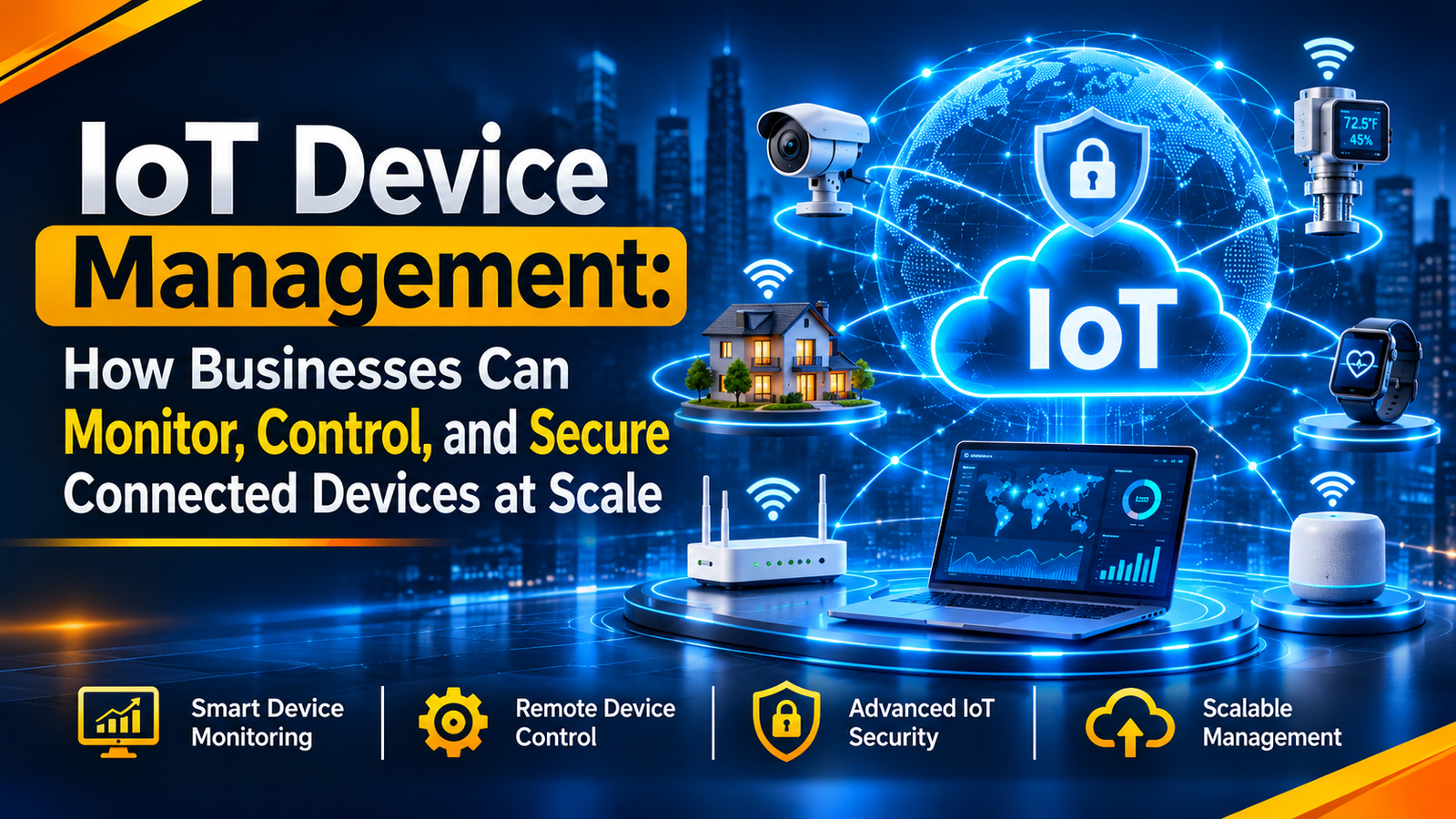
IoT Device Management: How Businesses Can Monitor, Control, and Secure Connected Devices at Scale
Introduction
IoT device management is the process of connecting, monitoring, controlling, updating, and securing Internet of Things (IoT) devices through a central platform. It gives teams a clear view of device status and activity. This helps businesses find problems early, reduce manual work, and manage connected devices as their operations grow.
Businesses that want to build connected products can explore IoT & Embedded Development Services to understand how IoT technologies support modern business operations.
What Is IoT Device Management?
IoT device management is the process of setting up, monitoring, controlling, updating, and securing connected devices. These devices include sensors, GPS trackers, smart meters, cameras, and industrial machines.
A central platform helps teams manage all these devices from one dashboard. They can check device status, change settings, and send updates from any location.
For example, a company may use sensors in several warehouses. Its team can check which sensors are working and sending data. They do not need to visit every site.
In simple terms, IoT device management gives businesses better control over their connected devices. It also helps them manage devices as their network grows.
Businesses planning connected hardware and software solutions can explore IoT Development Services for more information about IoT-focused development.
How Does IoT Device Management Work?
IoT device management connects physical devices to a central platform. The platform collects data and gives teams tools to manage devices remotely.
The process usually follows six steps:
- Device registration: Each device gets a unique identity when it joins the network.
- Device connection: Devices connect through Wi-Fi, mobile networks, or other supported links.
- Data collection: The platform receives details such as device status, location, and battery level.
- Remote control: Teams can change settings or send commands to supported devices.
- Software updates: Teams can send new software or firmware to connected devices.
- Security checks: Access rules and security tools help protect devices and data.
For example, a sensor may stop sending data due to a network problem. The platform can show its last known status. A team member can then check the connection or send a remote command.
AWS IoT Device Management supports features such as device groups, fleet monitoring, and remote updates. Microsoft Azure IoT Hub also supports remote actions through direct methods and device twins. These features help teams manage connected devices from a central system.
Key Features of IoT Device Management
A good IoT device management platform should support devices throughout their life cycle. These features help businesses save time, find faults, and improve security.
1. Device Monitoring
Device monitoring shows the status and activity of connected devices. Teams can see which devices are online, offline, or facing a problem.
For example, a sensor may stop sending data. An alert can help the team find the issue before it affects daily work.
AWS IoT Fleet Indexing is one example of this feature. It helps teams search device records and check details such as device status and connection data.
2. Remote Device Control
Remote control lets teams manage devices without visiting each site. They can change settings, restart supported devices, or send commands through the platform.
This feature is useful for businesses that manage devices across many locations.
For example, a team can restart a supported device from its dashboard. This may save a site visit.
3. Firmware and Software Updates
IoT devices need regular updates. These updates fix errors, improve features, and help close security gaps.
A device management platform lets teams send updates remotely. They can also update devices in groups instead of handling each one separately.
AWS IoT Device Management Jobs supports remote software and firmware updates. It also offers controls for update speed and failure limits.
4. Device Security and Access Control
Security is a key part of IoT device management. Each connected device can create a risk for a business network.
Businesses should give every device a unique identity. They should also use secure connections, strong access rules, and trusted updates.
NISTIR 8259A, published by the National Institute of Standards and Technology (NIST), explains key security features for IoT devices. These include:
- Device identification
- Secure device settings
- Data protection
- Access control
- Software updates
- Security status checks
These features give businesses a starting point for IoT security. They can use them when choosing devices and planning security rules.
Businesses can also review Riotech's Cyber Security Services to understand how cybersecurity solutions can support their wider technology infrastructure.
5. Data Collection and Reporting
IoT devices collect data from machines, buildings, vehicles, and other systems. A central platform brings this data together.
Teams can use reports to check device activity and find unusual changes. This helps them make better decisions.
For example, a factory can review sensor readings to find machines that show unusual activity. The team can then inspect the machine.
6. Alerts and Notifications
Alerts tell teams when a device goes offline or reports a problem.
For example, a temperature sensor can send an alert when its reading goes above a set limit. The team can then check the cause and take action.
Business Benefits of IoT Device Management
IoT device management helps businesses manage connected systems with better control. It can also reduce manual work and improve daily operations.
1. Better Operational Efficiency
Teams can check and manage devices from one platform. This means fewer site visits and less manual work.
As a result, staff can spend more time on important tasks.
2. Lower Maintenance Costs
Remote checks help teams find problems early. They may also fix some issues without sending a technician to the site.
This can reduce travel, repair, and maintenance costs.
3. Improved Device Security
A central platform helps teams apply security rules across connected devices. They can manage access, check device status, and plan updates.
However, a platform alone cannot keep every device safe. Businesses must also use secure hardware, strong access rules, and regular security checks.
4. Easier Business Growth
As a business grows, it may need more connected devices. A central platform makes it easier to add and manage them.
For example, a business can start with sensors at one site. Later, it can add more devices at other sites.
5. Better Visibility and Control
A central dashboard gives teams a clear view of device activity. They can check status, read reports, and respond to problems from one place.
This helps teams make faster decisions.
Practical Applications Across Industries
Many industries use IoT device management to track equipment, collect data, and improve daily work.
1. Manufacturing
Factories use sensors to track machine activity, heat, and vibration.
IoT device management helps teams check these sensors and find faults. It also lets them send updates remotely.
2. Healthcare
Hospitals and healthcare centers may use smart devices to track equipment and collect health data.
Device management helps IT teams check device status, send updates, and manage access. Since health data is private, strong security rules are important.
3. Logistics and Transportation
Logistics companies use GPS trackers and sensors to track vehicles, goods, and storage conditions.
A device management platform helps teams check device connections and view location or sensor data. This gives them a better view of goods in transit.
4. Smart Buildings
Smart buildings use connected devices for lighting, door access, energy use, and room temperature.
Facility teams can use one platform to check devices and change their settings.
5. Agriculture
Farmers use soil sensors, weather stations, and smart irrigation systems to collect field data.
IoT device management helps them check these devices and keep them working across large areas.
Common IoT Device Management Challenges
IoT device management has many benefits. However, businesses must plan for some common problems.
1. Managing Devices at Scale
A business may use hundreds or thousands of devices across many sites. Manual checks become harder as the network grows.
Solution: Use one platform to group devices, check their status, and manage them remotely.
2. Security Risks
Weak passwords, old software, and poor access rules can put devices at risk.
Solution: Give each device a unique identity. Use secure access rules, protect data, and send regular updates. NIST guidance can help businesses plan these security steps.
3. Network and Connectivity Issues
Some devices work in areas with weak network signals. A lost connection can stop a device from sending data.
Solution: Choose a network that suits each site. Set alerts and plan what devices should do when a connection is lost.
4. Device Compatibility
Devices from different brands may use different tools and network rules. This can make them hard to manage on one platform.
Solution: Check device support before buying or installing new equipment. Choose tools that work well together.
5. Data Management
Large device networks can create a lot of data. Without a clear plan, teams may find it hard to spot useful details.
Solution: Decide what data to collect, how long to keep it, and who can view it. Use reports to focus on key information.
Best Practices for IoT Device Management
A clear plan helps businesses manage connected devices in a safe and reliable way.
- Give every device a unique identity: This helps teams identify each device on the network.
- Use secure connections: Protect data sent between devices and platforms.
- Keep software up to date: Install trusted updates to fix known faults.
- Set access rules: Give each user only the access they need.
- Check device health: Review device status, logs, and alerts often.
- Plan for device failure: Decide what to do when a device goes offline or stops working.
- Check platform capacity: Make sure the platform can support more devices as the business grows.
NIST also advises businesses to define their device security needs before purchase and setup. This helps them choose devices that meet their security requirements.
Practical implementation insight: Before deploying an IoT device management platform, businesses should test a small group of devices first. Check device connectivity, remote updates, access permissions, and alert accuracy. This helps teams identify compatibility or configuration issues before expanding the deployment across multiple locations.
What Should Businesses Check Before an IoT Deployment?
A successful IoT deployment needs more than connected hardware. Teams should check how devices will work, communicate, and receive updates after installation.
Consider these implementation points:
- Device compatibility: Confirm that the selected platform supports the device models and communication protocols.
- Network coverage: Test connectivity in the actual deployment locations.
- Data requirements: Decide which device readings need to be collected and stored.
- Security configuration: Set device identities, user permissions, and secure communication rules.
- Update process: Confirm how firmware updates will be tested, approved, and deployed.
- Failure handling: Decide how teams will respond when a device loses connection or stops reporting data.
For example, consider a business installing temperature sensors across multiple warehouses. Before a full rollout, the team can test a small group of sensors in different areas. It can check whether readings reach the platform, alerts trigger at the correct limits, and devices reconnect after a network interruption.
This is an illustrative deployment scenario, not a report of a specific company project. It shows why testing device behaviour before scaling can help reduce implementation risks.
Future of IoT Device Management
IoT device management will keep changing as businesses connect more devices and collect more data. New tools may also help teams reduce manual work.
Some key trends include:
1. AI-Based Device Monitoring
AI tools can review device data and help find unusual changes. For example, they may spot changes in machine activity that need a closer look.
AI-based analysis can also support predictive maintenance. It helps teams identify patterns that may indicate equipment problems before a failure occurs.
Businesses exploring intelligent business technologies can learn more about Riotech's AI Solutions.
2. Edge Computing
Edge computing lets devices or nearby systems process data close to where it is created. This can reduce the amount of data sent to the cloud.
It can also help systems respond faster when quick action is needed.
3. Stronger IoT Security
As more devices join business networks, security will remain vital. Businesses will need strong device identities, secure updates, and clear access rules.
4. More Automated Device Management
Automation can help teams add devices, set rules, send updates, and act on alerts. This reduces repeat tasks and makes large device networks easier to manage.
FAQs About IoT Device Management
1. What is IoT device management?
IoT device management is the process of setting up, monitoring, controlling, updating, and securing connected devices. It helps businesses manage devices from one central platform.
2. Why is IoT device management important?
It helps businesses check device health, send updates, improve security, and reduce manual work. It also makes it easier to manage devices at many sites.
3. What devices can an IoT platform manage?
An IoT platform may manage sensors, GPS trackers, smart meters, cameras, and industrial machines. The devices it supports depend on the platform and hardware.
4. How does IoT device management improve security?
It helps teams manage device identity, access, software updates, and security checks. Businesses must also protect their networks and follow safe security practices.
5. Can IoT devices be managed remotely?
Yes. Many IoT platforms let teams check devices, change settings, send commands, and install updates remotely. The features depend on the device and platform.
6. What should businesses look for in an IoT device management platform?
Businesses should check device support, remote control, monitoring, updates, security, and reports. They should also make sure the platform can support future growth.
7. What are the main IoT device security features?
NISTIR 8259A lists key security features such as device identification, secure settings, data protection, access control, software updates, and security status checks.
8. What is the difference between IoT monitoring and IoT device management?
IoT monitoring focuses on checking device status and activity. IoT device management covers more tasks, such as device setup, remote control, updates, and security.
Conclusion
IoT device management helps businesses manage connected devices from one place. It supports device monitoring, remote control, software updates, and security checks.
As a result, teams can reduce manual work, find faults faster, and manage more devices with better control.
Choosing the right setup is important. Businesses should check device support, security needs, network access, and future plans before deployment.
Riotech Softwares offers IoT & Embedded Development Services for businesses exploring IoT-focused development. Visit the service page to learn more about IoT development solutions.
Sources and Further Reading
- National Institute of Standards and Technology (NIST): IoT Device Cybersecurity Capability Core Baseline – NISTIR 8259A
- NIST: Technical IoT Device Cybersecurity Capabilities Catalog
- NIST: NISTIR 8259 Series – Guidance for IoT Manufacturers
- Amazon Web Services (AWS): AWS IoT Device Management Documentation
- AWS: Fleet Indexing in AWS IoT Core
- Microsoft Learn: Device Management Using Direct Methods – Azure IoT Hub
- Microsoft Learn: Azure IoT Hub Device Communication
Recent Posts


11 Nov 2026

10 Nov 2026