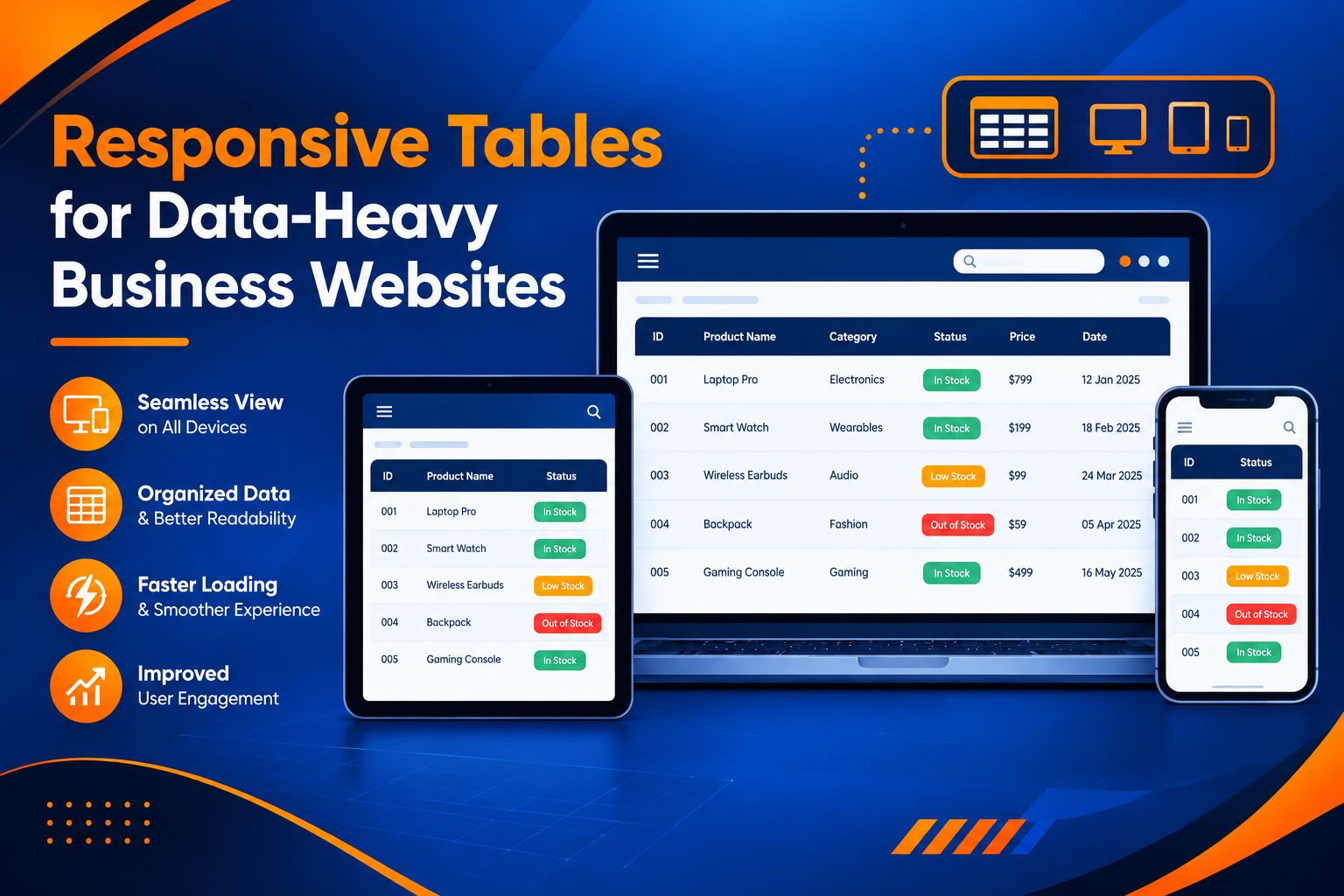
Responsive Tables for Data-Heavy Business Websites
Introduction
Business websites often display large amounts of information, including product details, sales reports, pricing comparisons, inventory records, and performance statistics. Tables make this information easier to organize, but they can become difficult to read when a website is opened on a mobile phone or tablet.
Responsive tables help businesses present structured information across different screen sizes without making the website difficult to navigate. With a suitable design, users can compare data, find important details, and understand information more easily.
Why Responsive Tables Matter for Business Websites
A table designed only for desktop screens may contain too many columns to fit on a smaller display. Users might need to zoom in, scroll across the page, or struggle to understand which values belong to which headings.
Responsive design helps address these problems by adapting the table to the available screen space. It also improves the overall experience for customers, employees, and business partners who access information from different devices.
Businesses that want to improve their website experience can explore professional web development solutions at https://www.riotechsoftwares.com/websolution.php.
Common Challenges With Data-Heavy Tables
1. Limited Screen Space
Large tables often contain multiple columns with long headings and detailed values. On smaller devices, this information can extend beyond the visible screen.
Designers should prioritize important columns and choose a suitable display method, such as a scrollable table or a compact row-based layout.
2. Difficult Data Comparison
Business users frequently compare prices, product specifications, sales figures, or monthly performance. If a table hides important information or separates related values, comparisons become harder.
Clear headings, consistent formatting, and logical column arrangements help users understand the relationships between different data points.
3. Slow Information Discovery
When tables contain hundreds of records, finding a specific item can take time. Search options, filters, sorting, and pagination can help users locate relevant information without reviewing every row manually.
4. Poor Mobile Readability
Small text, narrow columns, and crowded cells can make tables uncomfortable to use on mobile devices. Readable typography, sufficient spacing, and suitable responsive layouts help maintain clarity across screen sizes.
Best Practices for Designing Responsive Tables
1. Choose the Right Responsive Layout
Not every table needs the same layout. A wide financial report may work best with horizontal scrolling, while a table containing individual product records may be easier to read as stacked cards.
The design should reflect what users need to do with the information. For example, comparing several prices requires keeping related values visible, whereas checking a single order may work well in a compact layout.
2. Prioritize Important Columns
Identify the information users need most frequently. Product names, order IDs, prices, and statuses may deserve priority over secondary details.
On smaller screens, designers can reduce less important columns or move secondary information into expandable sections. Important data should remain accessible rather than disappearing without explanation.
3. Use Clear Headings and Consistent Formatting
Column headings should describe their contents clearly. Dates, currencies, percentages, and quantities should follow consistent formats throughout the table.
Properly marked-up header cells also help assistive technologies communicate the relationship between headings and data. The W3C Tables Tutorial provides useful guidance on accessible table structures.
4. Add Search, Sorting, and Filtering
Interactive features make large datasets easier to manage. Search allows users to locate specific records, sorting helps organize values, and filters narrow the results according to selected conditions.
These features are particularly useful for business dashboards, customer databases, inventory systems, and reporting portals.
5. Test Tables on Different Devices
A responsive table should be tested on desktop computers, tablets, and mobile phones. Testing should include different screen widths, larger text settings, keyboard navigation, and realistic amounts of data.
Designers should also check that tables do not create unwanted page-wide horizontal scrolling or cut off important content.
The Role of Web Solutions in Responsive Table Design
Responsive tables are one part of a well-designed business website. Their effectiveness depends on the surrounding interface, the structure of the data, and the way users interact with the information.
Professional web solutions can help businesses create interfaces that combine responsive layouts, organized content, accessible components, and useful interactive features.
When planning a new website or improving an existing platform, businesses should consider both visual design and practical usability. Explore https://www.riotechsoftwares.com/websolution.php for more information about web solutions and development services.
Benefits for Business Operations
Well-designed responsive tables can support business operations in several ways:
Better accessibility: Users can access structured information across different devices.
Improved data understanding: Clear headings and consistent formatting make information easier to interpret.
Faster navigation: Search, filters, and sorting help users find relevant records.
More convenient comparisons: Suitable layouts keep related information easy to compare.
Consistent user experience: A responsive interface helps maintain usability across desktop and mobile screens.
Improved productivity: Employees can review business information without struggling with poorly formatted tables.
Common Mistakes to Avoid
Businesses should avoid shrinking every column until the text becomes unreadable. They should also avoid hiding important data, using unclear abbreviations, and removing table headings without preserving their meaning.
Another common mistake is using complex table structures when simpler layouts would communicate the information more effectively. Large datasets may benefit from pagination, filters, or separate tables organized by topic.
Responsive design should preserve the meaning of the data while making it easier to access on different devices.
Conclusion
Responsive tables help businesses present large amounts of structured information in a clear and usable format. By choosing appropriate layouts, prioritizing important columns, improving readability, and adding useful navigation features, businesses can make data-heavy websites more convenient for their users.
A thoughtful approach to responsive interfaces also supports accessibility and creates a more consistent experience across devices. Businesses should regularly test their tables and improve them according to user needs and the type of information being displayed.
For professional web development and responsive interface solutions, visit https://www.riotechsoftwares.com/websolution.php.
Recent Posts

28 Oct 2026

27 Oct 2026

26 Oct 2026