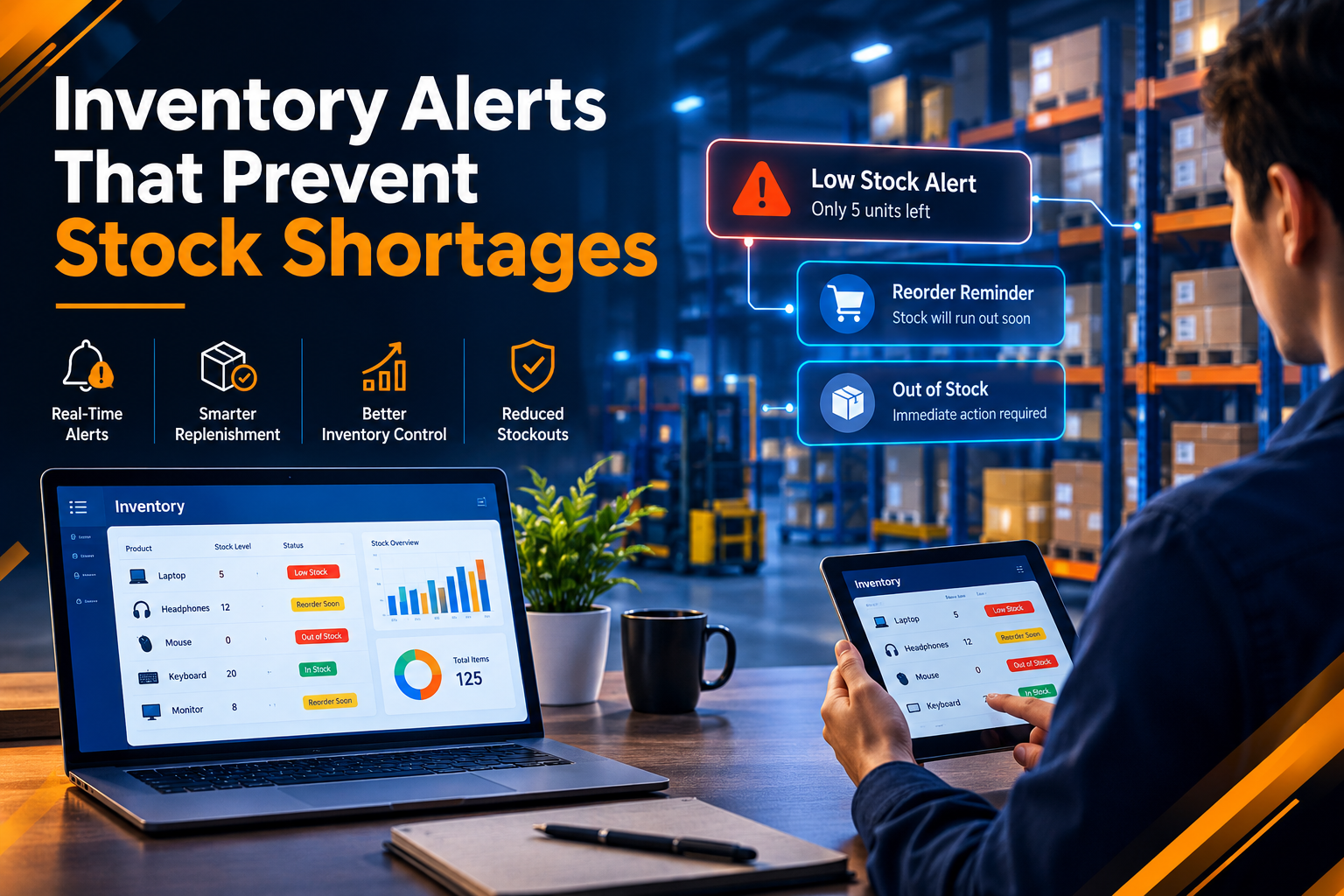
Inventory Alerts That Prevent Stock Shortages
Introduction
Managing inventory is an important part of running a successful business. When products or materials run out unexpectedly, businesses may face delayed orders, lost sales, unhappy customers, and interruptions in daily operations. Manual stock checking can also become difficult when a company manages a large number of products.
Inventory alerts help businesses identify low stock levels before they become a serious problem. With the right software, companies can monitor inventory, receive timely notifications, and plan replenishment more effectively. Custom software development makes it possible to build inventory systems that match specific business requirements.
What Are Inventory Alerts?
Inventory alerts are automatic notifications that inform businesses when stock reaches a predefined level or when an inventory-related issue requires attention.
For example, if a warehouse has only a few units of a popular product remaining, the inventory system can notify the responsible team. This gives employees time to review stock availability and arrange replenishment before the product runs out.
Depending on business needs, inventory alerts can include:
Low-stock notifications
Reorder reminders
Out-of-stock warnings
Delayed supplier delivery alerts
Expiry date notifications
Unexpected inventory changes
These alerts help businesses respond to inventory problems before they affect customers or daily operations.
How Inventory Alerts Help Prevent Stock Shortages
1. Early Identification of Low Stock
One of the main benefits of inventory alerts is early warning. Businesses can set minimum stock levels for individual products based on sales demand, supplier lead times, and storage requirements.
When the available quantity reaches the defined threshold, the system sends a notification to the relevant team. This allows employees to begin the replenishment process before inventory becomes unavailable.
2. Better Replenishment Planning
Inventory alerts help purchasing teams understand which products need attention first. Instead of checking every item manually, employees can focus on products that are approaching their reorder points.
This makes inventory planning more organized and helps businesses reduce the risk of emergency purchases.
3. Reduced Order Delays
Stock shortages can delay order fulfilment, especially when customers expect products to be available immediately. Automated alerts help businesses identify potential shortages and take action earlier.
For example, an online store can monitor fast-selling products and notify its inventory team when quantities fall below the required level.
4. Improved Inventory Visibility
A well-designed inventory system provides a clearer view of available stock, reserved items, incoming deliveries, and products that require replenishment.
When this information is updated accurately, managers can make better decisions about purchasing and stock distribution.
5. Fewer Manual Errors
Manual inventory tracking may lead to missed updates, incorrect quantities, or delayed reorder decisions. Automated monitoring can reduce these risks by checking stock levels against predefined rules.
However, the system still depends on accurate inventory records and timely updates from sales, purchasing, and warehouse operations.
Important Features of an Inventory Alert System
A useful inventory management solution should include features that support daily business activities.
Custom Stock Thresholds: Allow businesses to define different minimum stock levels for different products.
Automatic Notifications: Send alerts through appropriate channels, such as email or an internal dashboard.
Real-Time or Frequent Stock Updates: Keep inventory information current according to the system's capabilities and business requirements.
Inventory Reports: Show low-stock products, stock movement, and replenishment requirements.
Supplier and Purchase Order Tracking: Help teams review supplier details, pending orders, and expected delivery dates.
Role-Based Access: Allow authorized employees to manage inventory settings and respond to alerts according to their responsibilities.
Businesses can develop these features according to their operational needs through tailored software development solutions. Explore https://www.riotechsoftwares.com/softwaredevelopment.php to learn more about software development services.
How Custom Software Development Improves Inventory Management
Every business manages inventory differently. A retail store may need product-level stock alerts, while a manufacturing company may need notifications for raw materials and production components.
Custom software development allows businesses to create inventory workflows that match their requirements.
For example, an inventory management system can connect stock records with sales orders, warehouse operations, and purchasing activities. When a product is sold, the system updates its available quantity and checks whether an alert is required.
Businesses can also integrate dashboards, reporting tools, and supplier information to make inventory management easier for their teams.
A properly planned software solution can help reduce repetitive tasks, improve information sharing, and support more informed inventory decisions.
Best Practices for Managing Inventory Alerts
Set Appropriate Alert Thresholds
Avoid using the same stock threshold for every product. Consider average demand, seasonal changes, supplier lead times, and the importance of each item when setting reorder levels.
Keep Inventory Records Accurate
Regular stock checks help identify differences between recorded quantities and actual inventory. Accurate records make automated alerts more reliable.
Avoid Too Many Notifications
Excessive alerts can cause employees to overlook important messages. Group routine notifications where appropriate and reserve urgent alerts for issues that require immediate attention.
Review Supplier Lead Times
A product with a long replenishment period may need an earlier warning than one that can be restocked quickly. Review supplier performance and adjust inventory rules when conditions change.
Monitor Alert Performance
Review how often stock shortages occur, how quickly teams respond to alerts, and whether products are being reordered on time. These insights can help businesses improve their inventory processes.
For businesses planning to automate operational workflows or develop inventory management tools, https://www.riotechsoftwares.com/softwaredevelopment.php provides further information about available software development solutions.
Conclusion
Inventory alerts help businesses identify low stock levels, organize replenishment, and reduce the risk of unexpected shortages. When combined with accurate records, suitable reorder thresholds, and reliable supplier information, they can make inventory management more efficient.
Custom software development allows companies to build inventory solutions that fit their products, workflows, and operational goals. By choosing the right features and reviewing system performance regularly, businesses can improve stock visibility and maintain smoother daily operations.
To explore software solutions that support business processes and operational efficiency, visit https://www.riotechsoftwares.com/softwaredevelopment.php.
Recent Posts
23 Oct 2026

21 Oct 2026

19 Oct 2026