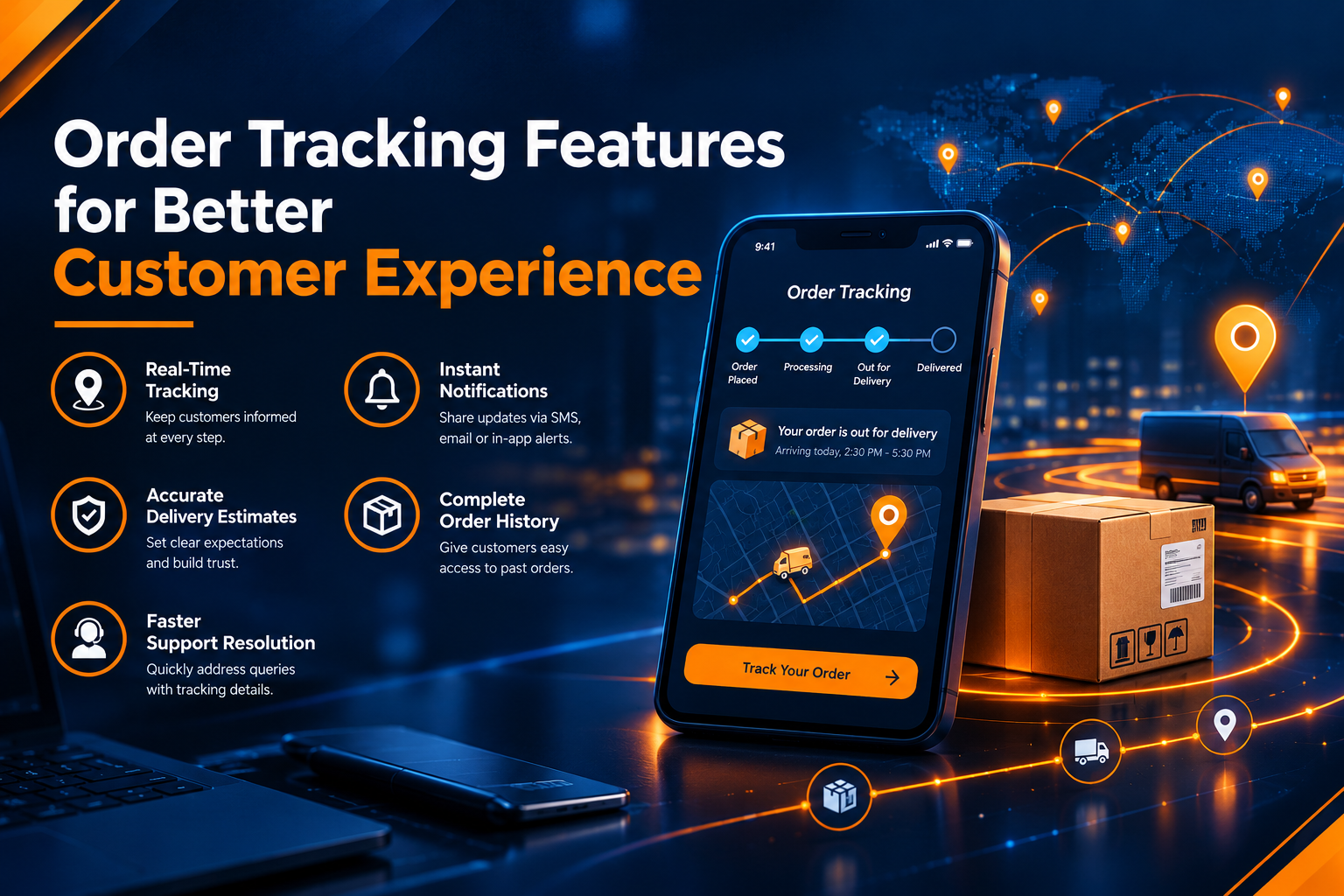
Order Tracking Features for Better Customer Experience
Introduction
Online shopping has made it easier for customers to purchase products from anywhere. However, customers also want to know where their orders are, when they will arrive, and whether their deliveries are progressing as expected. This is why order tracking has become an important part of the e-commerce experience.
Order tracking features allow customers to follow their purchases from confirmation to delivery. By providing timely updates and clear delivery information, businesses can build trust, reduce customer queries, and improve satisfaction.
Businesses looking to improve their online stores can explore https://www.riotechsoftwares.com/ecommerce.php for e-commerce solutions.
What Is Order Tracking in E-Commerce?
Order tracking is a feature that allows customers to check the current status of their purchases. After placing an order, customers can receive updates about order confirmation, processing, shipping, and delivery.
A tracking system may display a tracking number, estimated delivery date, shipment status, and courier details. These features help customers understand what is happening with their orders without contacting customer support for every update.
For online retailers, order tracking also improves communication and helps create a more organized shopping experience.
Important Order Tracking Features
1. Real-Time Order Status Updates
Customers appreciate knowing when their orders move from one stage to another. Status updates such as order confirmed, packed, shipped, out for delivery, and delivered help customers stay informed.
Clear updates reduce uncertainty and make the purchasing process more transparent.
2. Estimated Delivery Dates
Providing an estimated delivery date helps customers plan when to receive their packages. Businesses should display realistic delivery estimates and update them when unexpected delays occur.
Accurate delivery information can improve customer confidence and reduce questions about shipment timing.
3. Shipment Tracking Links
A tracking link allows customers to view delivery progress through a website or courier tracking page. Businesses can include these links in order confirmation emails, shipping notifications, or customer accounts.
Easy access to tracking information makes the shopping experience more convenient.
4. Email and SMS Notifications
Automated email and SMS notifications can inform customers when their orders are shipped, delayed, or delivered. These messages keep customers updated without requiring them to check the tracking page repeatedly.
Notifications should be timely, relevant, and easy to understand.
5. Mobile-Friendly Tracking
Many customers shop using smartphones, so order tracking pages should work smoothly on mobile devices. A simple layout, readable status information, and easy navigation allow customers to check deliveries whenever needed.
A mobile-friendly experience also supports better usability across different devices.
How Order Tracking Improves Customer Experience
Builds Customer Trust
Customers feel more confident when they can see the progress of their purchases. Transparent tracking information shows that the business is keeping them informed throughout the delivery process.
Reduces Support Requests
Without tracking information, customers may contact support to ask whether their orders have shipped or when they will arrive. Automated updates answer many of these questions and allow support teams to focus on more complex issues.
Improves Delivery Communication
Unexpected delays can create frustration when customers receive no explanation. Order tracking helps businesses communicate changes and provide updated delivery estimates where available.
Encourages Repeat Purchases
A smooth delivery experience can influence whether customers shop with the same business again. Reliable tracking, clear notifications, and accurate information help create a positive impression.
Businesses can learn more about improving online shopping experiences through https://www.riotechsoftwares.com/ecommerce.php.
Best Practices for Implementing Order Tracking
E-commerce businesses should focus on making tracking information accurate, accessible, and useful.
Display clear order statuses at every important stage.
Provide realistic delivery estimates.
Send notifications when shipment status changes.
Make tracking pages accessible on mobile devices.
Update customers promptly when delays occur.
Protect customer information and tracking data.
Connect tracking systems with order management and shipping tools where possible.
These practices help businesses provide a more consistent experience from checkout to delivery.
The Role of E-Commerce Technology
Modern e-commerce platforms can integrate order tracking with inventory systems, courier services, customer accounts, and automated notifications. These integrations help businesses share delivery updates more efficiently and reduce manual work.
A well-designed online store should make it easy for customers to place orders, access purchase details, and track deliveries. Businesses should regularly review their tracking process to identify gaps and improve communication.
For support with online store development and e-commerce functionality, visit https://www.riotechsoftwares.com/ecommerce.php.
Conclusion
Order tracking is more than a delivery feature; it is an important part of customer service in e-commerce. Real-time updates, estimated delivery dates, tracking links, and automated notifications help customers stay informed and reduce uncertainty.
By implementing reliable tracking features and maintaining clear communication, online businesses can improve customer satisfaction, reduce support requests, and encourage long-term customer relationships.
Visit Website
Recent Posts
23 Oct 2026

21 Oct 2026

19 Oct 2026