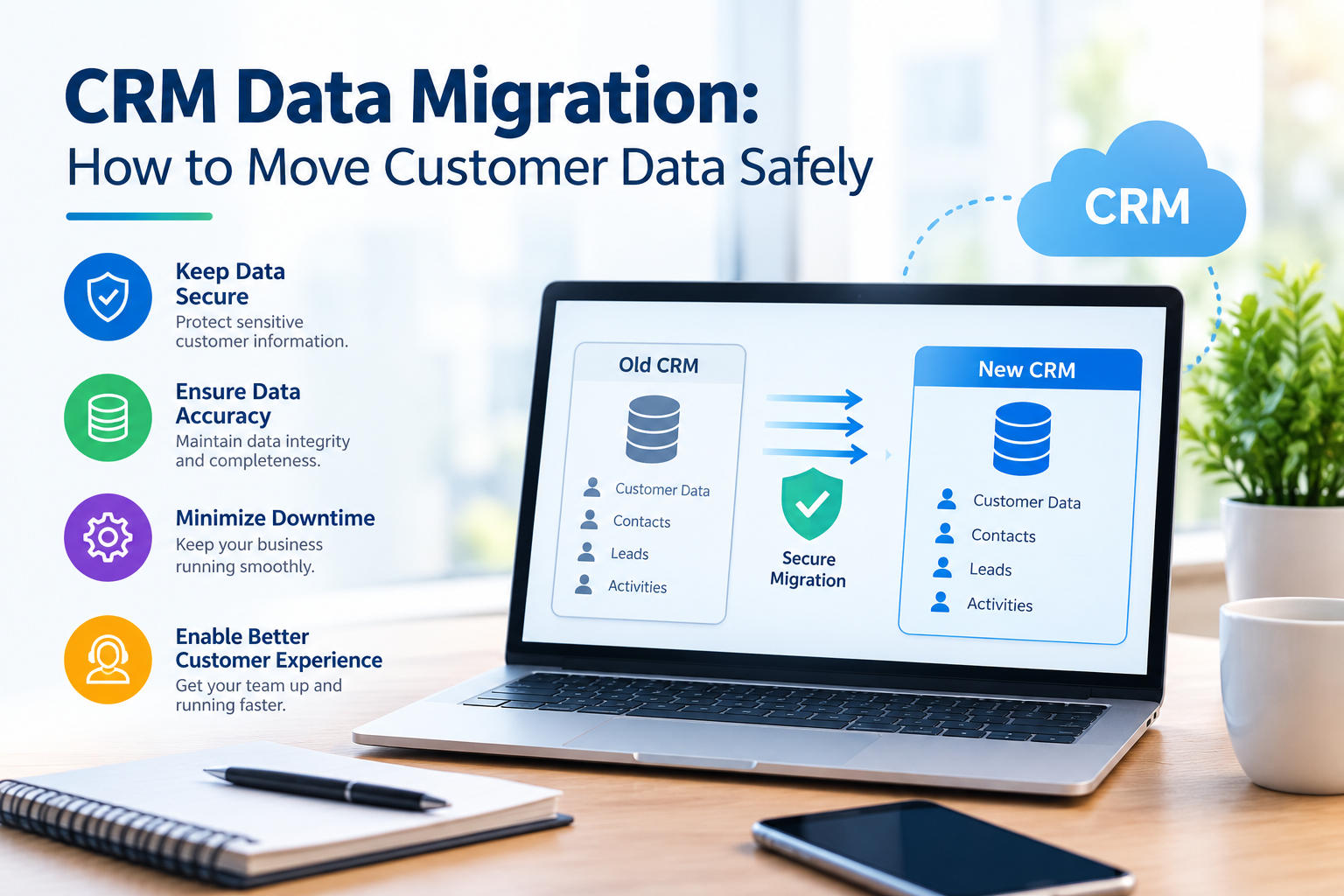
CRM Data Migration: How to Move Customer Data Safely
CRM Data Migration: How to Move Customer Data Safely
Customer data is one of the most valuable assets of any modern business. Contact details, customer interactions, sales records, support history, preferences, and business relationships all contribute to better decision-making and stronger customer experiences. However, when a company moves from one Customer Relationship Management (CRM) platform to another, transferring this information safely can become a complex technical process.
CRM data migration is more than exporting contacts from one system and importing them into another. A successful migration requires careful planning, data cleansing, field mapping, security controls, testing, and post-migration validation.
For businesses planning a CRM upgrade or moving from a legacy platform, following a structured migration process can help reduce data loss, duplication, downtime, and operational disruption.
What Is CRM Data Migration?
CRM data migration is the process of transferring customer and business information from an existing CRM system to a new CRM platform.
Depending on the organization, the migration may include:
- Customer and contact records
- Company and account information
- Sales opportunities and pipelines
- Customer support records
- Communication history
- Notes and activities
- Custom fields and records
- Documents and attachments
- User roles and permissions
- Workflows and automation data
The exact scope depends on the business requirements and the capabilities of the destination CRM.
Why Is Safe CRM Data Migration Important?
Poorly planned migration can create serious business problems. Missing customer records, duplicate contacts, incorrect relationships, or incomplete sales histories can affect customer service and reporting.
A structured migration helps businesses:
- Protect valuable customer information
- Reduce duplicate and inaccurate records
- Preserve important customer relationships
- Maintain data consistency
- Minimize business disruption
- Improve CRM data quality
- Support compliance and security requirements
- Create a reliable foundation for future growth
Microsoft's CRM migration guidance also highlights data mapping, cleansing, relationship management, performance, security, and validation as important considerations during migration.
Step-by-Step CRM Data Migration Process
1. Define the Migration Scope
Before moving any data, determine exactly what needs to be transferred.
Create an inventory of the CRM objects, fields, relationships, documents, activities, and integrations currently being used.
Ask important questions such as:
- Which customer records need to be migrated?
- Which historical information is still required?
- Which fields are essential?
- Which records are outdated?
- Which workflows need to be recreated?
- Which integrations depend on the existing CRM?
A clearly defined scope helps prevent unnecessary data from being transferred.
2. Audit and Clean the Existing Data
Data quality should be addressed before migration begins.
Review the existing CRM for:
- Duplicate customer records
- Incomplete contact information
- Invalid email addresses
- Outdated customer records
- Inconsistent naming formats
- Incorrect phone numbers
- Missing required fields
- Unused or obsolete records
Cleaning the source database before migration reduces the possibility of carrying existing data-quality problems into the new CRM. Salesforce also recommends identifying the required objects and fields before beginning a migration.
3. Create a Data Mapping Plan
Different CRM platforms may use different field names, structures, and data types.
For example:
| Existing CRM | New CRM |
|---|---|
| Customer Name | Contact Name |
| Company | Account |
| Mobile | Phone |
| Lead Status | Lead Stage |
| Sales Value | Opportunity Value |
| Follow-up Date | Next Activity |
A data mapping document should specify where each source field will go in the destination system and whether any transformation is required.
This step is particularly important when migrating between systems with different data structures.
4. Back Up Your Existing CRM
Never begin a major CRM migration without a reliable backup.
Create a complete backup of the source CRM before making significant changes. Keep the backup securely stored and ensure that authorized team members can access it if recovery becomes necessary.
A backup provides an important recovery option if data is accidentally deleted, corrupted, or incorrectly transformed during the migration.
5. Test the Migration Before Going Live
A test migration should be performed before transferring the complete database.
Start with a representative sample of customer records and verify:
- Data accuracy
- Field mapping
- Customer relationships
- Sales pipelines
- Activity history
- Attachments
- Permissions
- Integrations
- Automated workflows
Testing in a controlled environment allows technical teams to identify problems before they affect production data. Industry guidance similarly recommends sample migrations and incremental testing before full deployment.
6. Protect Customer Data During Migration
CRM databases often contain sensitive business and customer information. Security should therefore be considered throughout the migration process.
Businesses should use appropriate controls such as:
- Secure data transfer methods
- Access restrictions
- Strong authentication
- Encryption where appropriate
- Limited administrator access
- Secure backup storage
- Activity and access monitoring
Only authorized personnel should have access to migration files and systems.
7. Migrate Data in a Controlled Sequence
Large CRM migrations should not necessarily be treated as a single bulk operation.
Depending on the system structure, organizations may migrate data in logical stages, such as:
- Users and account structures
- Companies or accounts
- Contacts
- Leads
- Opportunities
- Activities and communication history
- Documents and attachments
- Custom records
Maintaining relationships between these records is critical. For example, a contact should remain correctly associated with its company and relevant opportunities after migration.
8. Validate the Migrated Data
After the migration, compare the source and destination systems.
Validation should include:
- Total record counts
- Field-level accuracy
- Duplicate detection
- Missing records
- Customer relationships
- Sales pipeline information
- Activity history
- User permissions
- Reports and dashboards
- Third-party integrations
Do not rely only on a successful import message. A migration can technically complete while still containing incorrect or missing information.
9. Plan the Final Cutover
The final cutover should be carefully scheduled to minimize business disruption.
Before switching completely to the new CRM:
- Confirm the latest backup
- Define a data-freeze period
- Complete the final data transfer
- Validate newly created or modified records
- Test critical integrations
- Confirm user access
- Communicate the go-live process to employees
A clear rollback plan should also be prepared in case a critical issue is discovered.
10. Monitor the New CRM After Migration
CRM migration does not end when the new system becomes operational.
During the initial period after migration, monitor:
- Data quality
- User access
- Workflow performance
- Integration errors
- Customer records
- Reports
- Automation
- User feedback
Early monitoring makes it easier to identify and resolve issues before they affect business operations.
Common CRM Data Migration Mistakes
Businesses can reduce migration risks by avoiding common mistakes such as:
Skipping Data Cleansing
Moving duplicate or inaccurate records simply transfers the problem to the new CRM.
Migrating Everything Without Reviewing It
Not every historical record or unused field needs to be moved. Define business requirements before deciding what belongs in the new system.
Ignoring Data Relationships
Customer, company, opportunity, and activity records often depend on one another. Breaking these relationships can make the new CRM difficult to use.
Failing to Test
A direct production migration without sufficient testing can expose the business to unnecessary operational risks.
Forgetting Integrations
CRM platforms often connect with email, accounting systems, marketing platforms, websites, customer support tools, and other business applications. These connections should be tested as part of the migration.
Not Preparing Users
A technically successful migration can still create operational problems if employees do not understand the new CRM structure and processes.
How to Make CRM Migration Safer
A reliable CRM migration should follow a structured approach:
Plan → Audit → Clean → Map → Backup → Test → Migrate → Validate → Cut Over → Monitor
This approach helps businesses maintain data quality while reducing disruption during the transition.
The goal is not simply to move customer records from one platform to another. The goal is to create a cleaner, more secure, organized, and scalable CRM environment.
How Riotech Softwares Can Help
CRM migration requires a combination of data management, software expertise, security practices, testing, and business-process understanding.
Riotech Softwares provides professional technology solutions including CRM and ERP solutions, custom software development, cloud solutions, cybersecurity, and IT consulting. These capabilities can support businesses looking to modernize their technology environment and manage complex digital transformation projects.
To explore Riotech Softwares' technology and CRM solutions, visit https://www.riotechsoftwares.com/.
Conclusion
CRM data migration can significantly improve the way a business manages customer information, but the process needs to be carefully planned. Data cleansing, field mapping, backups, security, testing, relationship preservation, and post-migration validation are all essential components of a successful migration.
By treating CRM migration as a structured data and technology project rather than a simple import-and-export task, businesses can protect valuable customer information and build a stronger foundation for future growth.
Looking to modernize your CRM infrastructure or migrate your customer data? Riotech Softwares can help you build secure and scalable technology solutions for your business.
Website: https://www.riotechsoftwares.com/